
Tool That Can Identify Mint Marks From Coin Photos
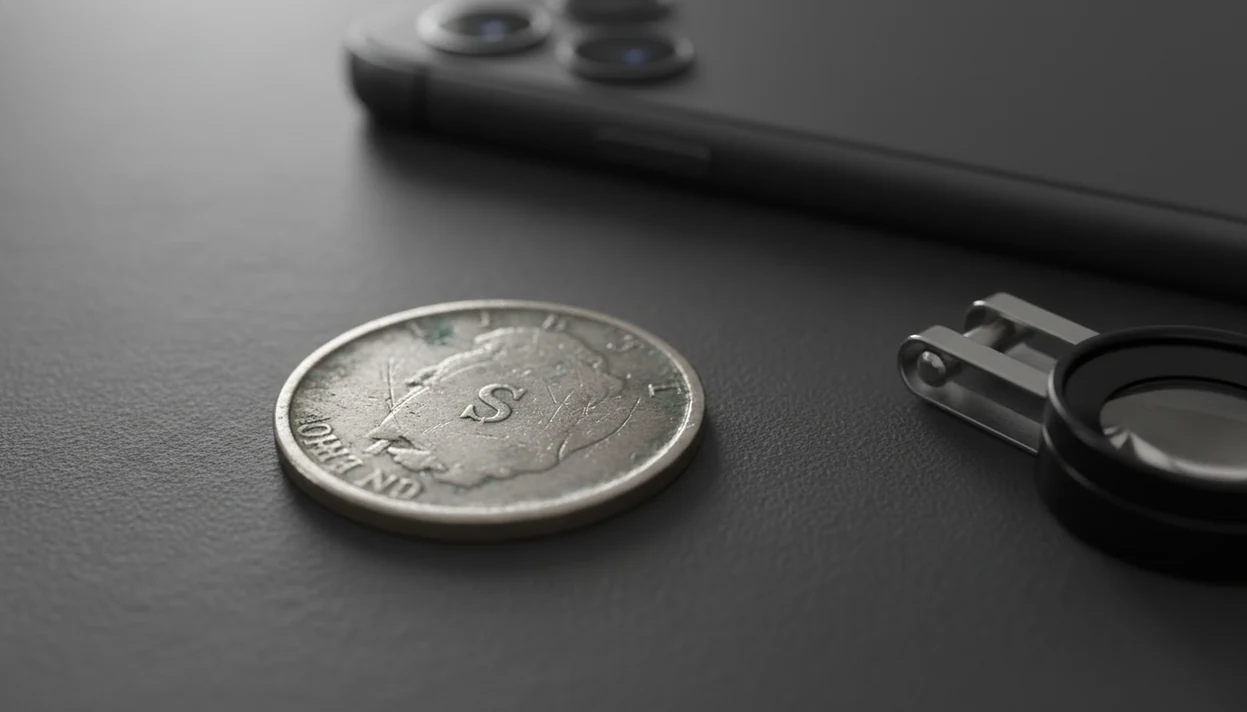
A tool that can identify mint marks works best when you upload a sharp close-up of the mint mark area, then confirm the result against the coin’s date, denomination, and design. Treat the scan as a fast first read, not final attribution for rare, worn, or high-value coins.
A mint mark identifier tool is a coin photo scanner that analyzes a close-up coin image to predict the small letter or symbol showing where the coin was minted.
- Use a close-up, in-focus coin mint mark photo with good lighting and no glare.
- Check the date and denomination because some coins normally have no mint mark.
- Verify rare, damaged, or valuable coins manually before relying on an app result.
Mint Mark Identifier Tool Requirements Before You Scan
A mint mark identifier tool depends first on photo quality, not on the scanner name. The tiny letter may be smaller than rim wear, toning spots, or a nick from circulation.
Use a high-resolution, sharply focused image with even lighting; for official mint-mark placement context, compare the result with the U.S. Mint mint-mark guide: https://www.usmint.gov/learn/collecting-basics/mint-marks. That advice matters even more for mint marks because the scanner is reading a small feature near the date, portrait, or reverse design. Capture both sides when possible. The denomination, date, inscriptions, and design help confirm whether the predicted mark makes sense.
A kitchen light can be enough.
Glare, rotation, dirt, heavy wear, and tight cropping can all hide the mark. If a wheat cent is turned under the light and the mark under the date looks like a smudge, retake the photo before trusting the result.
How a Tool That Can Identify Mint Marks Works
A mint mark scanner usually identifies the coin type first, then reads the likely mint mark area. It compares photo features such as denomination, year, portrait, reverse design, rim shape, and inscriptions before checking tiny letters, symbols, or no-mint-mark cases.
Behind the scenes, image classifiers often use learned visual patterns. In plain terms, the tool has seen many coin photos and looks for similar shapes. Some mint-mark classifiers can return predictions in seconds after upload, but speed is not the same as certainty. A broad app claim, even a high recognition figure, is still a provider claim.
Photo-first coin identification apps can identify coins from photos, show rarity and grade hints, and help beginners and collectors estimate coin value. A good photo-first coin identifier and value estimation app gives structured clues, not a certified attribution or guaranteed price.
6 Safe Steps for Using a Mint Mark Scanner
For beginners, the safest workflow is to scan first, then verify the scan against the physical coin. Do not polish the surface just to make the letter easier to see.
- Clean only loose dust if appropriate, and never harshly clean, polish, or rub the coin.
- Set the coin on a plain, stable surface with indirect light from the side.
- Photograph a macro-style close-up of the mint mark area, plus full obverse and reverse photos.
- Upload the clearest images, not the first quick snapshot from your camera roll.
- Review the result beside the date, denomination, mint location, and visible wear.
- Verify rare, suspicious, or high-value results with a trusted reference or experienced reviewer.
Wiping dust from a cardboard 2x2 flip is fine. Wiping the coin itself is not.
Step 1: Close-Up Coin Mint Mark Photo Setup
“How should I photograph a mint mark for an app?” Fill the frame with the mint mark area, but keep the surrounding design visible so the tool has context. A letter floating alone in a cropped square is harder to confirm.
Steady the phone on a box, book, or small stand. Use indirect light, avoid flash glare, and tap the screen directly on the mint mark area before taking the shot. A distant full-coin photo may identify the coin as a dime, quarter, cent, or world coin, but still fail to read the tiny mark.
Use both photo types.
Full obverse and reverse photos help with coin ID. Close-ups help with the mark. Phone photos on a dark wooden table can make copper cents look redder than they are, so a neutral background is often safer.
Step 2: Date and Denomination Context for Mint Mark Results
Mint mark results only become useful when paired with the coin’s date, denomination, country, and series. The same letter can point to different mints across countries and time periods.
- A “D” can mean different things depending on the country, denomination, and year.
- Some coins legitimately have no mint mark, so absence is not automatically an error.
- U.S. Philadelphia issues may show no mint mark in certain series and years.
- If the tool asks for country, date, denomination, or coin side, confirm those fields carefully.
- Mint mark, date, denomination, condition, and variety all shape rarity and value context.
The most reliable beginner check is to start with the obverse, confirm the date and denomination, then compare the mint mark location against a trusted reference. If the scan raises an error question, an error coin identifier can help separate mint clues from damage clues.
Step 3: Coin Detail Checks for Mint Mark Scanner Results
After a scan, compare the predicted mint mark to the visible letter or symbol in your own photo. If the app says “S” but the coin shows a flattened blob, treat the result as uncertain.
Check the year, denomination, design type, and known mint mark location. Some marks sit below the date. Others appear near a portrait, on the reverse, or in a different place after a design change. Rarity and value cannot be judged from the mint mark alone because grade, variety, demand, and authenticity still matter.
Use the app result as a first-pass check for photo identification, rarity hints, grade hints, and collection organization. However, app claims about broad coverage or high recognition accuracy are provider claims, not guarantees for every worn, tilted, or poorly lit photo. For die varieties, a coin variety identifier is the better next step.
Common Mint Mark Identifier Tool Mistakes
Most false mint mark readings come from the photo, not from a rare discovery. Retake the image before assuming the scanner missed something important.
- A blurry photo can turn a small “D” or “S” into a soft spot.
- Too much digital zoom creates blocky edges around the letter.
- Flash glare can wash out the raised or incuse detail.
- A tilted coin changes shadows and can make marks look doubled.
- Cropping too tightly may remove the nearby date or design clue.
- Dirt, grime, or corrosion can imitate letter shapes.
- Relying on one side only can hide the context needed for the right series.
No mint mark does not always mean an error coin. One app result also is not enough to confirm a rare variety. If doubling is involved, the doubled die vs machine doubling check is often more important than the mint mark alone.
Mint Mark Verification Workflow for Valuable Coin Photos
For valuable coin photos, compare the app result with a trusted reference for the exact year, mint, and denomination. A close-up scan is a starting point, not the final record for a sale listing or insurance note.
For U.S. coins, cross-check the date, denomination, mint mark, and variety against named references such as PCGS CoinFacts (https://www.pcgs.com/coinfacts), NGC Coin Explorer (https://www.ngccoin.com/coin-explorer/), or the U.S. Mint mint-mark guide (https://www.usmint.gov/learn/collecting-basics/mint-marks).
Inspect the mint mark under magnification if possible. A simple loupe can show whether the shape is a real letter, damage, a filled area, or glare from the photo. Save multiple images in your collection notes: full obverse, full reverse, mint mark close-up, rim detail, and any unusual surface marks.
The clink of mixed nickels, dimes, and foreign coins from an inherited coffee can can make sorting feel urgent. Slow down anyway. Ask a knowledgeable collector, dealer, or grading service for help when the coin appears rare, altered, damaged, or high value. Do not clean or polish it first.
Limitations
Mint mark recognition has real limits, especially on circulated coins. Use scanner results as guidance, not appraisal-grade pricing or certified attribution.
- Worn coins, weak strikes, corrosion, grime, and damage can hide mint marks.
- Blurry, low-resolution, angled, cropped, or glare-heavy photos reduce recognition reliability.
- Altered coins, rare varieties, and possible errors require manual verification.
- A missing mint mark can be normal for some series and years.
- Value estimates are guidance, not formal appraisals or guaranteed sale prices.
- Marketing claims such as 99% accuracy may not reflect independent testing or every real-world photo.
- A scanner may identify the coin type correctly but still miss a tiny mint mark.
If a result affects a sale, trade, or family collection decision, compare against a trusted reference first. For questionable surfaces, the error coin vs damage distinction can prevent a common overcall.
FAQ
What is a mint mark on a coin?
A mint mark is a small letter or symbol that shows where a coin was made. Its meaning depends on the coin’s country, series, denomination, and year.
Where is the mint mark on my coin?
Mint mark location depends on the coin’s country, series, denomination, and date. It may appear near the date, portrait, reverse design, or sometimes not appear at all.
Can an app read mint marks from a photo?
Apps can often read mint marks from sharp close-up photos with good lighting. They are not perfect and can fail on worn, dirty, angled, or glare-heavy images.
Why is my coin’s mint mark missing?
A missing mint mark can be normal for some coins and years. It is not automatically an error coin or rare variety.
Does no mint mark mean my coin is rare?
No mint mark does not by itself mean a coin is rare. Rarity depends on the exact year, denomination, series, condition, variety, and demand.
What photo shows mint marks best?
A close, focused, well-lit photo shows mint marks best. Keep the mint mark and nearby design visible, and avoid flash glare.
Can glare hide mint marks in coin photos?
Yes, glare can wash out tiny letters and cause false or uncertain readings. Retake the photo with indirect light if the mark looks flat or shiny.
Should I verify rare mint marks before selling a coin?
Yes, verify rare, damaged, altered, or valuable coins before selling. Use manual reference checks or ask a knowledgeable collector, dealer, or grading service.