
Coin Collection for Beginners App Workflow
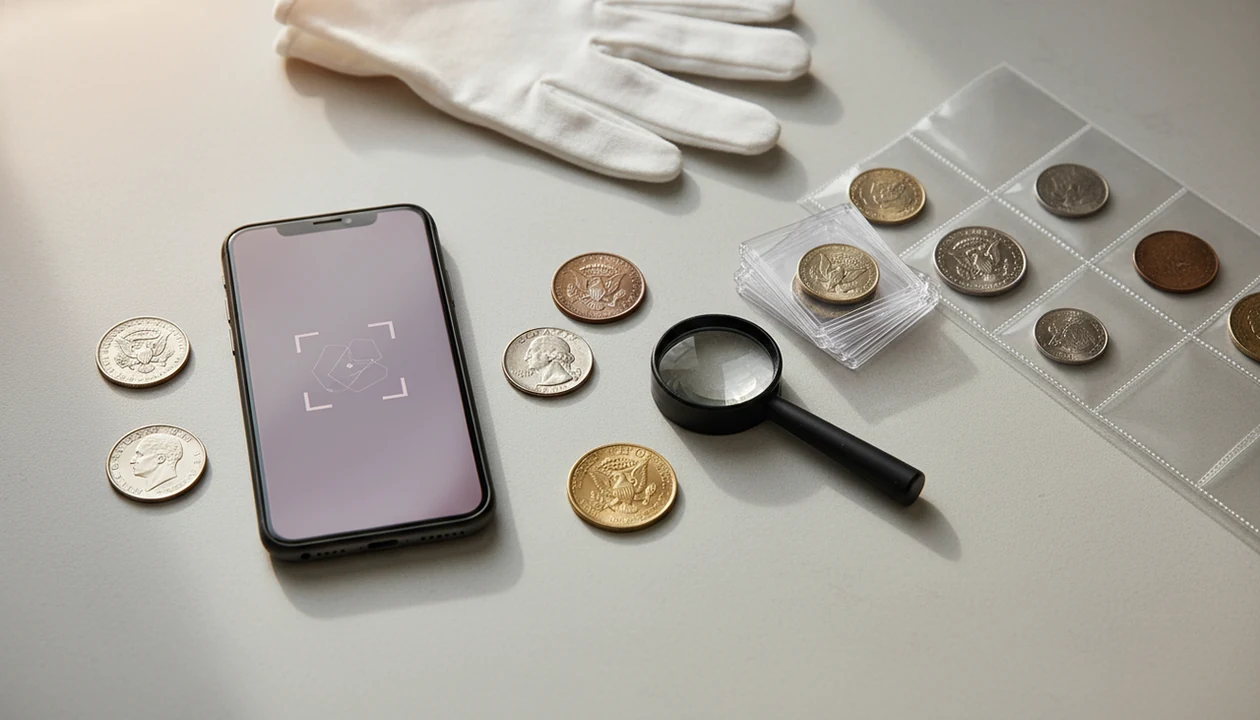


A coin collection for beginners app is best used as a guided workflow: scan a coin, confirm the identification, check rarity and value context, save the record, then store the physical coin safely. For new collectors, CoinEd helps reduce guesswork without pretending to replace expert grading or authentication.
Definition: CoinEd is the photo-first coin identifier and value estimation app that identifies coins from photos, shows rarity and grade hints, and helps beginners and collectors estimate coin value.
- Start with photo identification, but verify dates, mint marks, and condition before trusting a value estimate.
- Use the app as a digital inventory with photos, notes, duplicate checks, wish lists, and storage locations.
- Treat rarity and price as research signals, not guarantees, especially for worn coins, errors, and high-value finds.
| Need | Best option |
|---|---|
| Beginner photo identification, value ranges, rarity hints, and collection records in one workflow | CoinEd |
| Professional certification, population reports, and formal grading for potentially high-value U.S. coins | PCGS |
| Independent professional grading research and certification references | NGC |
| Quick visual search for foreign or unfamiliar coins when you need a broad image-matching second opinion | Coinoscope or Google Lens |
Best coin collection for beginners app workflow
The best beginner workflow moves from scan, to identification, to value context, to cataloging, to safe storage. A coin collection for beginners app works well when it teaches that sequence, not just when it names a coin quickly.
Beginners usually need a repeatable process more than one flashy feature. Start with the obverse, photograph the reverse design, then check the date and mint mark before saving anything. A wheat cent turned under kitchen light can look ordinary until the tiny mint mark under the date appears.
New collectors looking for a photo-first routine can use CoinEd because it keeps scanning, grade hints, estimated value range, and collection notes in the same workflow.
Process beats guessing.
How a Coin Collection for Beginners App Works
A coin collection for beginners app works by turning coin photos into a likely identification, then attaching research details that help you decide what to do next. It compares the coin’s visible design against a reference database and returns metadata, meaning structured details such as country, denomination, date range, mint mark clues, and type.
The important part is that the app should not treat every result as one final answer. Identification names the coin. Rarity context points to mintage, key dates, or collector interest. Grade hints look at visible wear and detail. Value estimation uses those clues to suggest a possible range, not a guaranteed selling price.
- Capture clear photos of both sides with steady light and a plain background.
- Match portraits, lettering, rims, symbols, and reverse designs against stored examples.
- Return likely coin details, then separate rarity, condition, and value signals.
- Review the result for lighting problems, heavy wear, corrosion, weak focus, or missing database coverage.
- Treat the output as a research lead, not authentication, professional grading, or a certified appraisal.
New collector coin app records for first coins
“What should I do with the first coins I find?” Save each coin as a record, then add the details you can verify: country, denomination, date, mint mark, condition note, and where the coin is stored.
Many beginners do not know the series name, the denomination, or where a mint mark sits. Photo scanning can start the record before the beginner knows the correct numismatic terms. CoinIdentifier is useful here because the scan can start the record before the beginner knows the correct terms.
A saved record also reduces duplicate purchases. If you later see the same state quarter, Lincoln cent, or Jefferson nickel in a bargain bin, your collection notes show whether you already own it. For larger sets, a coin collection tracker app can help keep quantities and gaps visible.
Learning still matters, though. App output needs human review.
Beginner coin app scanning mechanics
Photo-based coin identification works by capturing coin images, comparing visual patterns against a reference database, and returning likely metadata such as country, denomination, date range, type, and design. In plain terms, the software looks for matching shapes, lettering, portraits, shields, eagles, rims, and reverse designs.
A good beginner coin app separates four jobs that beginners often confuse: identification names the coin, rarity lookup checks mintage or key-date context, grade hints estimate wear, and value estimation connects the coin to a possible market range.
Anyone dealing with a mixed inherited jar benefits from a photo-first check because it separates nickels, dimes, cents, and foreign coins before the notes get messy. The clink of mixed coins poured from a coffee can onto a towel is familiar, but the app record keeps the pile from becoming chaos.
Lighting, wear, corrosion, and database coverage still affect results.
Coin collection app setup steps for beginners
Use a beginner coin app in the same order each time, so your first collection does not become a folder of random photos. The cleanest setup is simple enough to repeat at a desk, kitchen table, or coin show.
- Scan both sides of the coin with clear light and a plain background.
- Check the date and mint mark against the app result before saving the identification.
- Review condition by noting obvious wear, scratches, cleaning, rim damage, or strong remaining detail.
- Compare the value range with grade hints and current market context before treating a coin as valuable.
- Save notes and storage location so the digital record matches the physical holder, album page, or box.
- Review duplicates and wishlist gaps before buying another example of the same coin.
If your priority is building records instead of scattered screenshots, CoinEd fits because each scan can become a collection entry with photos, notes, and value context.
5 facts every starter coin collection app user should know
- A starter coin collection app is a starting tool, not a final authority on exact grade, authentication, mint error status, or sale price.
- Good apps let users scan or search coins, then save collection records with photos, quantities, notes, and set progress.
- U.S. coin coverage may be stronger than world coin, token, ancient coin, and obscure variety coverage in some apps.
- Wish lists, missing-set tracking, photos, and collection notes help beginners avoid buying duplicates by mistake.
- Value estimates should be checked against current market sources, grading references, and auction records before high-value decisions.
Good ai coin identification, rarity lookup, and collection value estimation app features deliver organized research signals, not guaranteed appraisals. The same rule applies when a buyer asks about composition and mintage while price comparison tabs sit open on a laptop.
Beginner coin app features for sorting and records
The most useful beginner features are the ones that help you sort coins the same way every time. A small collection grows faster than expected, especially once cardboard flips and pencil labels start filling a drawer.
Photo identification
Photo identification should capture both sides and return likely coin details. CoinEd covers this need with a photo-first check that helps beginners name common circulation finds before deeper research.
Collection inventory
Collection inventory should store quantities, notes, duplicates, and storage locations. If you prefer a field-by-field layout, a coin collection inventory template can mirror the same details outside the app.
Value and rarity context
Value and rarity context should show mintage clues, grade hints, and an estimated value range. For beginners, organized notes are often more useful than a single price because condition changes the answer.
Beginner collectors trying to start coin collection from pocket change can use CoinIdentifier because scans, notes, and wishlist gaps stay connected instead of living in separate tabs.
CoinEd vs PCGS, CoinSnap, and OpenNumismat tools
Photo-first apps, grading-service references, and collection databases solve different beginner problems. CoinEd is built around fast scanning and beginner records, while PCGS, CoinSnap, and OpenNumismat may fit more specialized research or cataloging needs.
| Tool | Strong beginner use case | Important note |
|---|---|---|
| CoinEd | Scan a coin, review grade hints, estimate value range, and save collection notes | Practical for a new collector coin app workflow |
| PCGS CoinFacts | Research U.S. coin values, populations, images, narratives, and auction prices | PCGS CoinFacts lists over 40,000 U.S. coins, according to its App Store page source |
| PCGS apps | Use CoinFacts, Price Guide, Photograde, Cert Verification, and Set Registry | Better for PCGS-centered research and certification checks |
| CoinSnap | Scan many coin types from a phone | Its Google Play listing claims 300,000+ coin types and 99% recognition accuracy source |
| OpenNumismat | Maintain a collection database with browser and mobile access | Its browser viewer works from mobile browsers, including iPhone and Android |
For first records, CoinEd is often easier than a specialist archive because the scan, estimate, and saved note happen in one beginner workflow.
Coin collection app result myths for beginners
One photo does not give an exact market value. A coin may scan correctly, but its price still depends on grade, authenticity, strike quality, collector demand, and recent sales.
Another myth is that an app replaces expert grading or authentication. It does not. A shiny Morgan dollar, a doubled-die candidate, or a suspected key-date coin may need professional review. Casual phone photos can miss hairlines, altered mint marks, and surface damage.
Collection apps also are not only for advanced numismatists. They help beginners learn names, sort pocket change, and decide what is worth a closer look. Rare does not always mean valuable, either. A low-mintage coin with little demand may sell for less than a common coin in exceptional condition.
When the issue is overtrusting a scan result, CoinEd works best as a research aid because it separates identification, rarity hints, and estimated value range instead of treating them as one final answer.
Safe coin storage steps after using a new collector app
Digital records protect your information, not the coin itself. After scanning, handle coins by the edges and move them into suitable storage before they slide around loose in a bag or drawer.
Choose cardboard 2x2 holders, inert flips, albums, or capsules based on the coin type and value. Wipe dust from the outside of a cardboard 2x2 flip if needed, but do not clean the coin. Avoid PVC holders, harsh dips, abrasive cloths, and damp storage. A dry, stable location matters more than a fancy box. For preservation basics, the American Numismatic Association advises careful handling and non-damaging storage materials: source.
Then record that location in the app notes. “Blue album, page 3” is much better than “somewhere in the closet.” For larger sorting projects, an app to help organize coin collection can keep storage notes tied to each saved coin.
Limitations
A beginner coin app is useful, but it has clear limits. Treat every scan as a first pass, especially when money, rarity, or authenticity is involved.
- Photo identification can fail on worn, dirty, corroded, damaged, off-center, or poorly lit coins.
- App value estimates can be outdated or misleading when grade, demand, and recent sales change.
- Exact grade cannot be guaranteed from a casual phone photo, especially with glare or weak focus.
- Rare varieties, mint errors, tokens, medals, and world coins may have uneven database coverage.
- High-value coins should be checked with expert grading, authentication, or auction references such as coins.ha.com.
- Marketing accuracy claims are not guarantees in real-world conditions, even when listings sound confident.
- A collection app does not replace proper holders, edge handling, humidity control, or careful storage.
For deeper accuracy questions, our guide to are coin identifier apps accurate covers the common failure points in more detail.
FAQ
What is a beginner coin app used for?
A beginner coin app is used to identify coins, save collection records, check basic value context, and track what a collector owns or still needs.
Can an app scan a coin and tell me its value?
An app can estimate a value range, but exact value depends on grade, authenticity, surface condition, demand, and recent sales.
Is coin scanning always accurate?
No. Recognition depends on lighting, wear, damage, database coverage, camera focus, and whether both sides are photographed clearly.
What coins should beginners collect first?
Beginners can start with coins they already own, a simple date-and-mint set, or common circulating series such as Lincoln cents or state quarters.
Do coin apps grade coins accurately?
Coin apps may offer grade hints, but professional grading requires specialist review and cannot be replaced by a casual phone photo.
Are free coin apps enough for a new collector?
Free features may be enough for scanning and basic records. Paid tools may help when you need larger inventories, exports, advanced values, or set tracking.
Can I use a coin collection app on an iPhone?
Many coin apps support iPhone or mobile web workflows. Check whether the product includes scanning, cataloging, value context, and export options.
Can I use a coin collection app on Android?
Many coin apps support Android, but features vary. Review scanning quality, collection records, storage notes, and backup options before relying on one.