


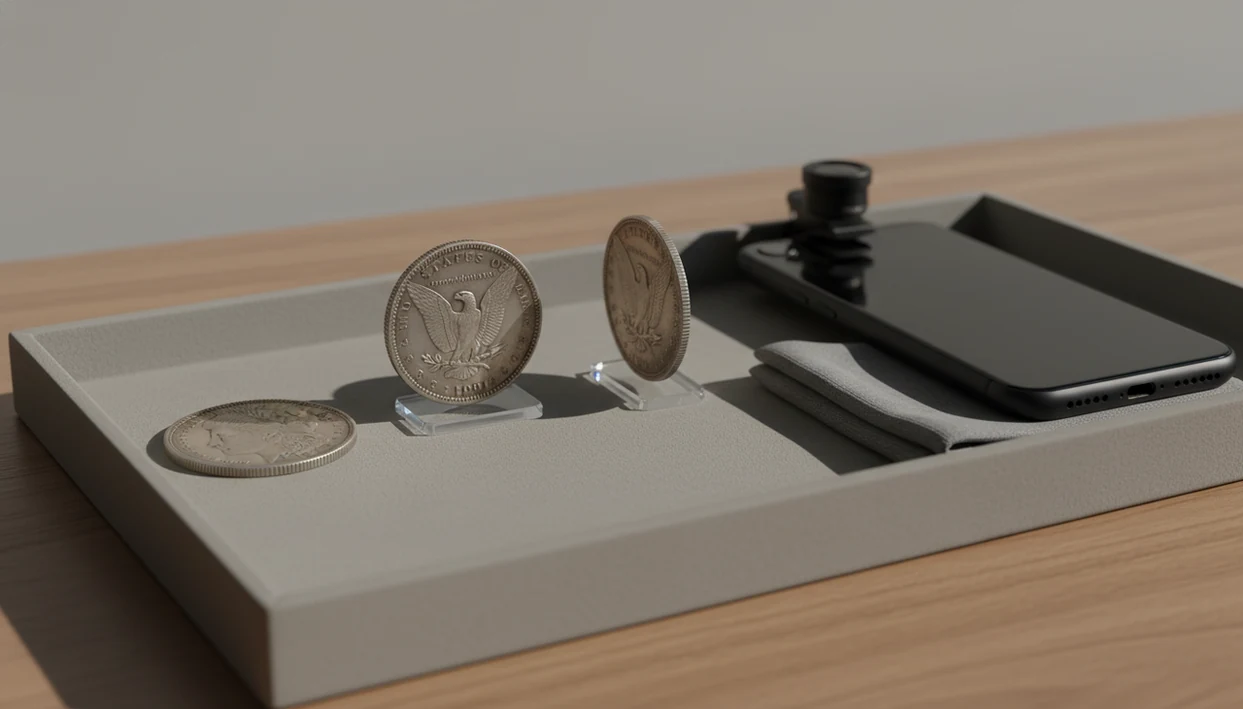
Definition: A coin photo scanner is an app feature that reads uploaded or camera-captured images of a coin's obverse, reverse, and edge details, then uses AI pattern matching to identify the coin, suggest its rarity, and estimate a value range.
At a Glance: Coin Photo Scanner Inputs and Results
- Input fact: A coin photo scanner works best with obverse, reverse, and detail-shot uploads, not just one face of the coin.
- Result fact: CoinEd can return a likely coin name, country, denomination, rarity indicator, and estimated value range.
- Source fact: You can scan coin photo images from a phone camera or upload saved image files from earlier sorting.
- Accuracy fact: Photo quality directly affects the match because blur can hide dates, mint marks, and small legends.
- Trust fact: Scan results are identification and value estimates, not certified grades or formal appraisals.
A beginner checking a tiny D beside Roosevelt’s torch will get more from a close-up than from another full-coin shot. Small details matter.
How the Coin Scanner Feature Works Behind the Lens
A coin scanner feature ingests an image, reads visible coin details, then compares those visual signals against a reference database. In plain terms, AI coin photo ID looks for shapes and text that match known coins.
CoinEd starts with camera capture or file upload. The system reads inscriptions, portraits, symbols, date shapes, mint marks, edge features, wear patterns, and surface color. Those signals become image embeddings, which are numerical fingerprints of what the photo contains. The match layer compares those fingerprints to coin records. After that, a rarity and value layer adds context from the identified type. For the image-matching layer, image embeddings are a standard way to turn visual content into numerical representations for comparison source. For authentication limits, collectors should still rely on expert review or grading-service guidance because photo matching alone cannot prove a coin is genuine source.
Resolution matters. Practical scanner guidance often treats 150 to 300 dpi as usable for many direct coin scans, while 600 dpi is commonly recommended for capture before downsizing source. Phone photos are faster at a flea-market table. Flatbed scans can preserve more controlled detail.
Phone Camera vs. Flatbed Scanner Input
Phone scanning is convenient because you can tilt, reshoot, and capture edge lettering. Flatbed scanning is slower, but it can help with stable lighting and repeatable documentation.
How to Scan a Coin Photo in CoinEd
Use the coin photo scanner as a short evidence-gathering routine, not a one-tap guess. CoinIdentifier works better when the second and third images answer what the first image could not.
- Open CoinEd and tap the scan button.
- Photograph the obverse under even lighting, starting with the main portrait or design.
- Photograph the reverse at the same distance and angle so the designs compare cleanly.
- Capture a close-up of the mint mark, date, doubled number, or edge lettering.
- Review the AI match, rarity hint, and estimated value range before saving the result.
If you are new to the workflow, the broader identify coin from photo guide explains why both sides usually matter. A soft cloth under a silver dime also helps the camera stop hunting for focus.
When to Use the Coin Photo Scanner for Best Results
Use a coin photo scanner when you need a fast first pass on coins from a jar, roll, flea-market tray, or inherited collection. Good lighting and sharp focus matter more than expensive gear.
This workflow fits quick sorting because you can check a found coin before you buy, trade, or add it to collection notes. After foreign coins clink out of an inherited biscuit tin, scanning can separate likely countries and denominations before manual research starts. Avoid heavy glare from plastic holders, especially on proof coins and bright capsules.
Collectors looking for quick triage should use a workflow that asks for both sides and detail shots before showing rarity and value context. The mechanism is simple: scan, compare, then save or rescan.
What AI Coin Photo ID Looks Like in CoinEd
A useful AI coin photo ID result returns a match screen with the coin name, country, year, and denomination. It also shows a rarity indicator, grade hints, and an estimated value range that is not a certified appraisal.
The useful part is the next choice. You can save the coin to a personal collection, add notes, or re-scan with more detail shots if the match looks uncertain. Dark wooden tables can make copper cents look redder than they are, so a second image on neutral paper often helps.
After a scan returns a close match, saved scan records keep the photo, ID, estimated value range, and collection notes together in one place.
5 Facts About Coin Photo Scanning Every Collector Should Know
- Both sides matter: Obverse and reverse images are needed for reliable ID because many coins share portraits but differ on the reverse design.
- Edges add evidence: Edge lettering, reeding, plain edges, and patina can narrow results when dates or legends are weak.
- Lighting beats gear: A sharp phone image under steady light often beats a costly camera used at a bad angle.
- Output has limits: A scan result is an estimate, not an appraisal, certified grade, or guarantee of resale price.
- Flatbed detail helps: For physical scanner workflows, 600 dpi capture before downsizing is a common practical recommendation.
Good photo-first coin identifier and value estimation app features deliver structured clues, not a dealer’s final verdict.
Common Myths About Coin Scanner Features
A coin scanner feature is useful, but it is not magic. The photo still has to show enough evidence for the system to compare.
Myth: One blurry photo is enough. A soft image can hide the date, mint mark, and small lettering that separate common coins from better varieties.
Myth: The app gives a guaranteed market price. CoinEd gives an estimated value range, not a formal appraisal or sale promise.
Myth: Only the front matters. The reverse design, mint mark, and edge can change the identification.
Myth: A scanner app and flatbed scanner do the same job. A phone workflow captures angles and details quickly. A flatbed scanner creates a controlled flat image.
For beginners, photo-first ID is often easier than manual catalog lookup because the image narrows the starting point before research begins.
Coin Photo Scanner vs. Alternative Coin ID Methods
A coin photo scanner is fastest for first-pass identification, while dealer review is stronger for authentication, grading, and sale decisions. Identification and valuation are related, but they are not the same task.
| Method | Strength | Trade-off |
|---|---|---|
| Coin photo scanner | Fast image-first match from obverse, reverse, and detail shots | Depends heavily on image quality |
| Manual catalog lookup | Good for learning dates, mintages, and design types | Slower for beginners with unknown coins |
| Professional dealer appraisal | Better for authentication, grade opinions, and market context | May cost money or require an appointment |
| Typed-description tools | Useful when no image is available | Misses visual clues like wear, patina, and mint marks |
| Other apps such as Coinoscope or CoinSnap | Can identify from photos | May not prompt for enough detail shots |
Someone comparing options can also use the best coin identifier app guide to weigh scanning, value tools, and collection tracking together.
Related CoinEd Features for Collectors
The coin photo scanner is the starting point, but follow-up tools help turn a loose find into a usable record. Follow-up tools include collection organization, rarity lookup, and value estimation for coins worth a closer look.
The collection organizer saves scanned coins with notes, photos, and estimated values. Rarity lookup adds mintage and key-date context after the first ID. The value estimation tool helps track a collection over time, with the same caution: it is not a formal appraisal.
For a collector building records, scan results should move into saved collection notes instead of staying as one-off screenshots. For setup details, use the download coin identifier app page.
Evidence and Sources for Coin Photo Scanner Results
Coin photo scanner results should be read as app-generated identification evidence, not outside certification. The app can compare visible image patterns and return a likely match, but authenticity, grade, and final market value need stronger proof.
The scanner workflow follows the same broad logic described in computer-vision documentation: a photo is converted into visual features, then compared with known examples. In the app, the coin name, country, denomination, rarity hint, and estimated value range are outputs from that matching and valuation workflow. Externally verified facts are different: a grading-service opinion, a dealer’s in-hand review, an auction sale record, or a published catalog reference carries separate authority.
- Treat the match as a starting point when the photos are clear and both sides agree.
- Check the date, mint mark, edge, and design details against the returned result.
- Compare the value range with recent auction or pricing context, since condition and demand can move real sale prices.
- Escalate to a qualified dealer or grading service if the coin looks rare, altered, counterfeit, unusually valuable, or ready for sale.
A photo can guide the next step. It should not be the final verdict on a serious coin.
Limitations
Photo-based coin ID has real limits. CoinEd can narrow a match, but some coins need a trusted reference, grading service, or in-person review.
- Blur, glare, shadow, and low resolution can cause wrong matches.
- Worn, corroded, cleaned, or heavily circulated coins may lose readable details.
- Value estimates are approximate and are not professional appraisals.
- Physical scanning may require removing coins from holders, which increases handling risk.
- Similar-looking coins still need human verification in many cases.
- AI cannot authenticate a coin as genuine versus counterfeit with certainty.
- Plastic flips, slab glare, and curved capsules can distort dates and mint marks.
- A photo cannot fully show luster, hairlines, cleaning, or some surface problems.
Wipe dust from a cardboard 2x2 flip if needed, but do not clean the coin itself.