


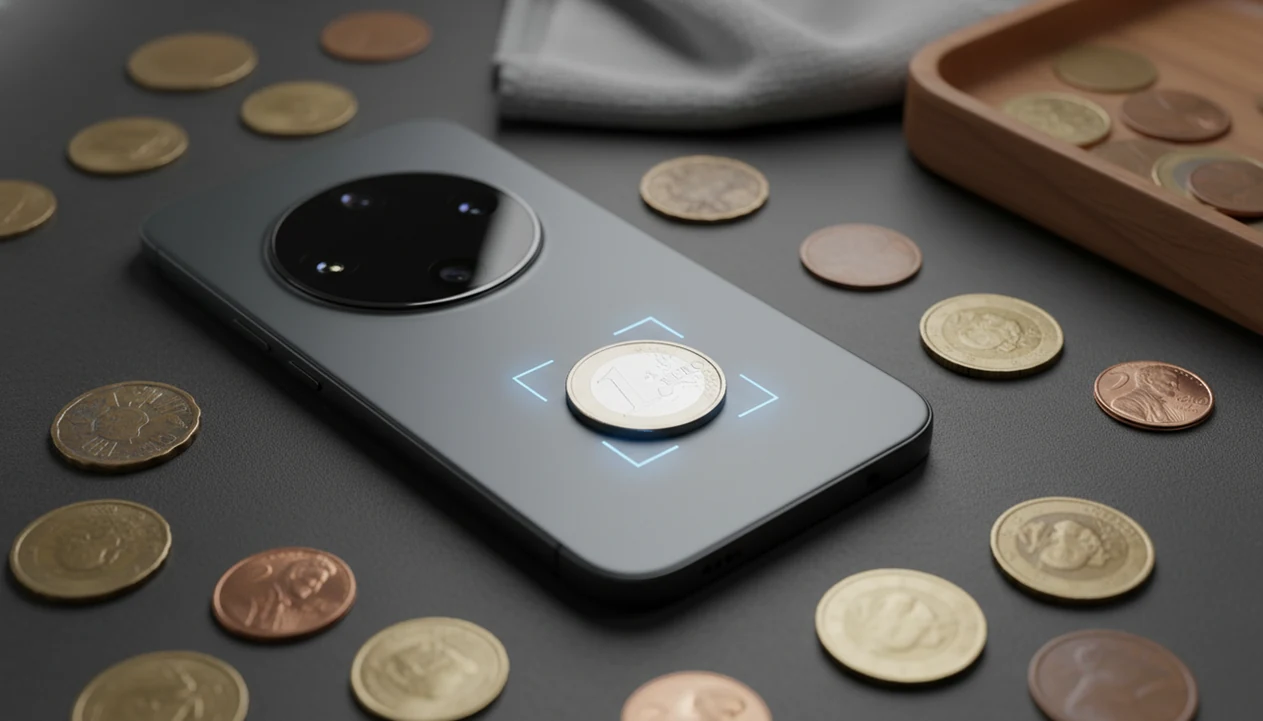
> Definition: CoinEd is the photo-first coin identifier and value estimation app that identifies coins from photos, shows rarity and grade hints, and helps beginners and collectors estimate coin value.
TL;DR - Download CoinEd free on iOS or Android to scan coins instantly with your phone camera. - AI recognition covers hundreds of thousands of coin types and returns country, year, mint mark, rarity, and value context. - Save every scanned coin to a digital collection for long-term tracking and portfolio value monitoring.
| Need | Best option |
|---|---|
| Photo-first coin identification with value context and collection tracking | CoinEd |
| Professional grading, certification, and high-value coin verification | PCGS or NGC |
| General visual search when a coin app cannot find a confident match | Google Lens |
| Alternative coin scanner app comparison for quick mobile lookups | Coinoscope or SnapCoin |
What You Get With a CoinEd Download
A coin identifier download gives you a photo-first way to identify a coin, check rarity clues, and save collection notes without starting from a printed catalog. The workflow starts with one clear photo, then returns the country, denomination, date, mint mark, estimated value range, and related details.
The workflow is built for real coin piles, not only neat album pages. We have tested it with a coin balanced on a white napkin, then again with a darker background when the rim blended into the surface. The cleaner photo won.
Beginners sorting inherited coins benefit from this workflow because the scan result turns an unknown piece into a labeled record with a country, year, rarity tier, and saved collection entry.
The U.S. coin and medal collecting market was estimated at $4.2 billion in retail sales in 2021, according to the U.S. Mint and numismatic market reporting: https://www.usmint.gov/news/inside-the-mint/coin-collecting-market-study. For broader selection criteria, compare this with our best coin identifier app guide.
5 Facts About Coin Scanner App Downloads Every Collector Should Know
- AI recognition in CoinEd is trained against hundreds of thousands of coin types, so many common U.S., world, and commemorative coins can return results from one clear photo.
- Value estimates are not official appraisals; they reflect recent market data, assumed grade range, and the condition visible in the image.
- In 2023, 90% of U.S. adults owned a smartphone, according to Pew Research Center, so most collectors already have the basic hardware needed for a coin scanner app download: https://www.pewresearch.org/internet/fact-sheet/mobile/.
- Computer vision models can perform well on clean, controlled images, but published accuracy depends on the dataset, lighting, and coin condition; treat any 90%+ claim as model-specific unless the app publishes its own validation data.
- Before installing any coin value app download, check platform support, free scan limits, subscription pricing, collection export options, and data privacy settings.
If your priority is checking loose coins before they disappear into a jar, the app fits because it combines the scan, value context, and save-to-collection workflow in one pass. A small label reading “possible error coin” is useful, but a saved photo record is easier to find later.
Good ai coin identification, rarity lookup, and collection value estimation app for collectors and beginners deliver identification context, not guaranteed sale prices.
How AI Coin Identification Works Behind Every Scan
AI coin identification works by turning a coin photo into visual features, then comparing those features against a reference database of known coin images. CoinEd uses image capture and preprocessing to normalize lighting, framing, and edge position before the match is returned.
The technical layer usually involves a convolutional neural network, a computer vision model that looks for shapes, lettering, portraits, rims, dates, and reverse design patterns. In plain terms, it compares what your camera sees against many labeled examples. Start with the obverse, then scan the reverse when the design or mint mark needs confirmation.
Rarity tiers and mintage data explain why two similar-looking coins can have very different estimated values. A Philadelphia coin with no mint mark may be ordinary in one series and worth a closer look in another. The value layer then maps recent sales and market data to an assumed grade range.
For beginners, photo-based identification is often easier than searching a catalog because the camera narrows the coin family before you compare against a trusted reference.
How To Download and Use Coin Identifier App Step by Step
Use this install-to-first-scan sequence when you want a clean result from CoinEd rather than a blurry “no match” screen.
- Check back for the official CoinEd launch on iOS and Android.
- Tap Install and grant camera permission when prompted.
- Place the coin on a plain, well-lit surface and photograph both sides.
- Review the AI results, including country, year, mint mark, rarity, and value estimate.
- Save the coin to your digital collection for ongoing tracking.
- Export or back up your collection data across devices when you start building records.
Keep the phone parallel to the coin. Avoid harsh flash, strong shadows, and patterned tablecloths. A blurred nickel on a kitchen counter may look obvious to your eye, but the model reads pixels, not intent.
After the first scan, when you want a cleaner record, the app earns the spot because the saved coin entry can hold photos, notes, grade hints, and estimated value range together. For photo setup basics, our guide to identify coin from photo covers both sides in more detail.
Minimum Requirements for CoinEd on iOS and Android
CoinEd runs best on a current phone with a clear camera, enough storage, and an internet connection for database lookups. Older devices may install, but recognition quality often drops when the camera struggles with small dates or rim lettering.
| Requirement | iPhone | Android |
|---|---|---|
| Minimum OS | iOS 15+ | Android 8.0+ |
| Recommended device | Recent iPhone with sharp rear camera | Android phone with strong autofocus |
| Camera guidance | 12 MP or better preferred | 12 MP or better preferred |
| Internet | Needed for most database queries | Needed for most database queries |
| Access model | Free scans, subscription unlocks | Free scans, subscription unlocks |
CoinEd Download for iPhone
Collectors using iOS can install CoinEd on iPhone, then use the camera workflow immediately after permission is granted. More platform detail is covered in CoinEd for iPhone.
CoinEd Download for Android
Android users should check OS version, camera focus, and storage before downloading. If your phone is compatible, CoinEd for Android follows the same scan, review, and save pattern.
CoinEd vs Other Coin Value App Downloads
CoinEd compares well when you want scan results plus collection records, rather than a one-off photo guess. CoinSnap, Coinoscope, cointrackers.com, pcgs.com, ngccoin.com, and coins.ha.com can all be useful, but they serve different parts of the research process.
| Option | Photo-first scan | Rarity and mintage context | Collection tracking | Best use |
|---|---|---|---|---|
| CoinEd | Yes | Built into scan review | Save and organize records | Daily scanning and collection notes |
| CoinSnap | Yes | Varies by result | App-based collection tools | Quick mobile identification |
| Coinoscope | Yes | More ID-focused | Limited compared with full trackers | Visual coin matching |
| PCGS / NGC | No quick scanner focus | Strong reference depth | Certification records | Grading and authentication research |
| Heritage Auctions | No | Sale history context | Auction account tools | Market comparisons |
A global survey found that 64% of consumers use mobile apps for product information or price comparison, which matches how collectors now check coin value context. However, auction archives still matter for expensive coins.
If the priority is long-term organization, the app handles more than the first answer because scans can become collection records with value monitoring and exportable notes.
Photo Tips That Improve Coin Scanner App Accuracy
Better photos improve coin scanner app accuracy more than most users expect. Use natural or diffused light, a solid white or black background, and a phone angle that stays parallel to the coin.
Avoid direct overhead spots because glare can erase fine lettering. Dark wooden tables can also make copper cents look redder than they are, which affects both the image and your own condition judgment. Plain paper usually beats a shiny desk.
Capture the obverse and reverse. Then check the date and mint mark before trusting the result. If dust sits on a cardboard 2x2 flip, wipe the holder, not the coin itself. Never polish or scrub a collectible coin; cleaning can reduce value fast.
For newer collectors, the most evidence-backed approach is simple: provide a sharp, evenly lit image before comparing the result against mintage data and market references. Small details decide the match.
Temporary Companion Downloads Until CoinEd Launches
CoinEd is not listed on the App Store or Google Play yet. Until launch, use the temporary companion badges for Lens AI (iPhone) and AI Lens (Android) for visual photo identification, and use the identify coin from photo and coin value guides on this site for research. These companions are not CoinEd and are not included in SoftwareApplication schema.
Once the app opens, scan one coin and save it to your digital collection. That first saved entry gives you a baseline for photos, notes, rarity tier, and estimated value range.
New collectors who want a lower-commitment start can also review the free coin identifier app guide before upgrading scan volume or collection tools.
Limitations
CoinEd is useful for fast identification, but it should not be treated as a grading service, auction guarantee, or counterfeit detector. These limits matter most when a coin might be valuable.
- AI coin identification is less reliable for extremely worn, corroded, damaged, or off-center struck coins.
- Value estimates assume a grade range and can diverge from dealer offers or auction prices.
- Database gaps can exist for obscure local issues, medals, tokens, and ancient coins.
- Free versions often include daily scan limits, ads, or reduced feature sets.
- No mobile app replaces professional grading and authentication from PCGS or NGC.
- Most apps cannot reliably detect counterfeits for high-end or frequently faked coins.
- Most scanned modern circulation coins are worth face value or only a small premium.
- A 1964 dime or quarter may raise the “is this silver or just old?” question, but the answer still depends on date, composition, and condition.
Use any coin scanner app as a photo-first check and collection aid, not as a formal appraisal.