


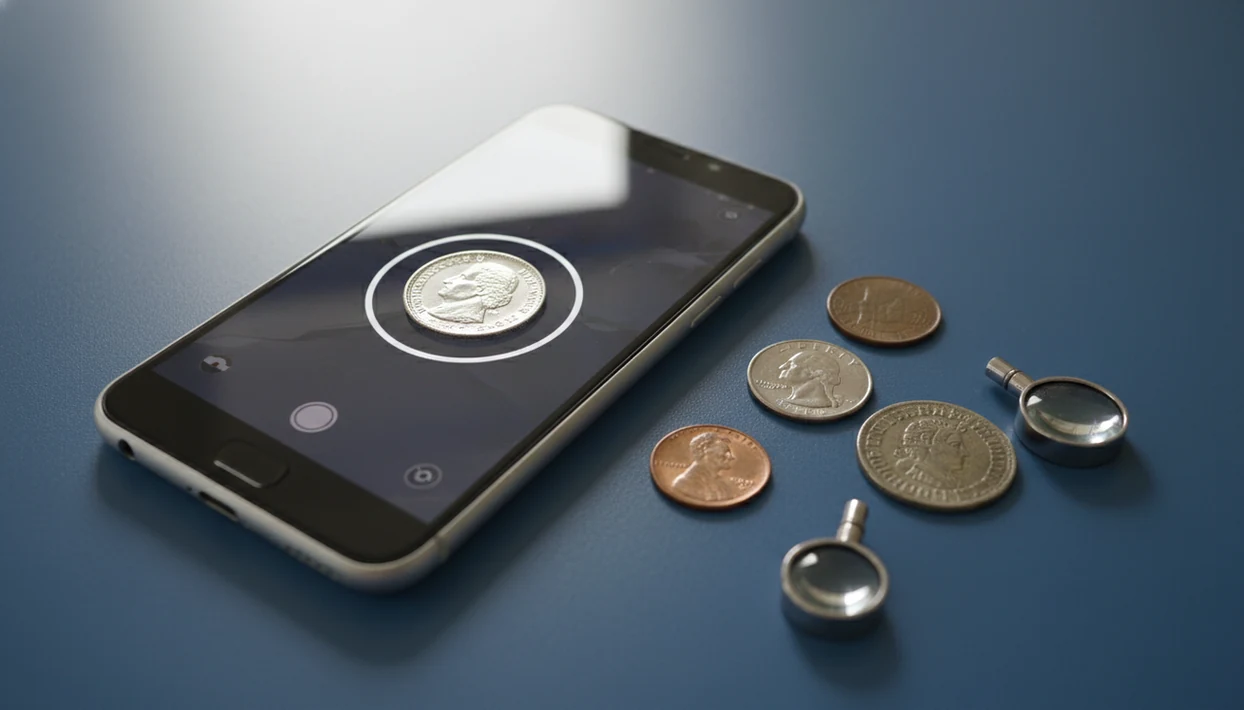
> Definition: CoinEd is the photo-first coin identifier and value estimation app that identifies coins from photos, shows rarity and grade hints, and helps beginners and collectors estimate coin value.
- Point your iPhone camera at both sides of a coin and get AI-matched results in seconds
- View estimated value ranges, rarity context, and mint details for each identified coin
- Save coins to a digital collection, tag by type or country, and monitor total collection value
CoinEd iPhone Features That Work Best
The iPhone workflow works best as a photo-first check: scan the obverse, scan the reverse design, then compare the AI match against the visible date and mint mark. The result returns likely coin type, origin, rarity hints, grade clues, and an estimated value range in one iPhone workflow.
The strongest iPhone features are practical, not flashy. You can scan U.S. coins, many world coins, and some historical types, then save the result with custom collection notes. A beginner turning over a wheat cent under a kitchen light can check the tiny mint mark under the date without opening five browser tabs.
If your priority is quick sorting from a drawer or inherited jar, This workflow fits because it combines AI photo matching, rarity context, and saved collection tags in the same scan workflow.
Coverage is broad, but not endless. Obscure tokens, local issues, and damaged coins still deserve a trusted reference check.
5 Facts About iPhone Coin Identification Every Collector Should Know
- AI matching is fast, but it is still a match system. An iPhone coin identifier compares your photos with cataloged coin images and returns likely results within seconds.
- Both sides matter. The date, portrait, reverse design, mint mark, and lettering often work together. A quarter flipped for the eagle side can change the match.
- Value is an estimate, not a sale price. Coin value app iPhone results use market-data context from price guides and auction records, but they do not replace professional grading.
- Collection tools reduce repeat work. Saved scans, tags, notes, and estimated total value help you avoid rescanning the same coin later.
- Photo quality drives result quality. Bright, even light on a plain background beats a dramatic photo every time.
Collectors who scan mixed change after every coin club table will get more from CoinEd because saved tags make common circulation finds easier to separate from coins worth a closer look.
Dust on the flip is fine. Cleaning the coin is not.
iPhone Coin Scanning Technology and AI Matching Workflow
How iPhone coin identification works: the iPhone camera captures high-resolution images, then an AI model extracts visual features such as legends, portraits, dates, mint marks, rims, and reverse design details. Those features become image embeddings, which are numerical summaries the system can compare against a reference database.
The workflow is simple on the surface. Start with the obverse, photograph the reverse, and add a close-up when the mint mark or date is tiny. The model builds a feature vector from those images, ranks possible matches by confidence score, and flags uncertain results when wear or glare hides key details.
A market-data layer then adds estimated value range context from recent sales and price-guide references. Good photo-first coin identifier and value estimation apps deliver structured coin context, not an instant certified grade.
For beginners, identifying a coin from a phone photo is often easier than starting with a printed catalog because the visible design narrows the search first.
6 Steps to Use CoinEd on Your iPhone
Use CoinEd on iPhone by photographing the coin carefully, checking the AI result against visible details, and saving the coin with notes before you move to the next piece.
- Download and open CoinEd on iPhone. If you are comparing options first, the broader best coin identifier app guide explains common feature differences.
- Place the coin on a plain, non-reflective background. Bright, even light helps more than zooming in too far.
- Snap a clear photo of the obverse. Keep the date sharp and avoid glare across the portrait.
- Flip the coin and photograph the reverse. Add a close-up of mint marks, doubled numbers, or edge details when needed.
- Review the AI-matched result. Check type, origin, rarity hints, grade clues, and estimated value range.
- Save the coin to your digital collection. Add custom tags, country, type, condition notes, and where you found it.
On days when a tarnished silver quarter turns up in loose change, CoinEd earns its place because the scan, value range, and saved note stay attached to the same record.
Minimum iPhone Requirements for Coin Scanner Results
Reliable coin scanner for iPhone results need a supported iPhone, a current iOS version, a clean camera lens, and enough light for the model to read small details. Recent iPhones usually produce better close-up coin photos, especially when macro mode or improved focus is available.
Use an internet connection for database lookup and market-data refresh. Saved collections also need storage space, especially if you keep many high-resolution obverse and reverse photos.
A dark wooden table can make copper cents look redder than they are. Use white paper, gray card, or matte cloth instead.
If the photo looks soft to your eye, retake it. The AI will not recover a mint mark that never came into focus.
CoinEd iPhone Feature Table
CoinEd gives iPhone users a compact scan, review, and save workflow for common coin identification tasks. The table below maps the main features to the collector problem each one solves.
| iPhone feature | What it helps you do |
|---|---|
| Photo-first identification | Match obverse and reverse photos to likely coin types |
| Rarity and grade hints | Spot key-date clues and condition factors worth checking |
| Value estimation | Review estimated value range with market-data context |
| Collection catalog | Save coins with tags by type, country, year, or theme |
| Total value tracking | Monitor estimated collection value as records build |
| Coverage scope | Check many U.S., world, and historical coins |
Someone building a first inventory can use CoinEd because the collection catalog keeps scans, estimated values, and collection notes together instead of scattering them across camera roll photos.
Who CoinEd for iPhone Is For
CoinEd for iPhone is for people who need a fast first read on coins before they decide what deserves deeper research. It works best for sorting, organizing, and preparing notes, not for replacing a dealer on a coin that may be expensive.
A beginner with an inherited coffee can of change can scan obvious standouts first: silver-colored dimes and quarters, wheat cents, unfamiliar world coins, or anything with an odd date. A new collector can also build a simple digital inventory with obverse and reverse photos, condition notes, tags, and estimated value ranges attached to each record.
For a seller, the app is useful before writing a basic description. Scan the coin, confirm the visible date and mint mark, save the result, then check professional references before setting a price.
- Use the app first when the coin is common, circulated, or part of a large mixed group.
- Save clear notes when you are building your first collection record.
- Pause before selling if the result suggests a key date, unusual variety, or high value.
- Contact a dealer when a coin may be counterfeit, altered, cleaned, inherited as part of a valuable estate, or worth enough that a mistake would matter.
iPhone CoinEd vs Android Coin Apps
An iPhone coin identifier may feel different from Android because recent iPhones often handle close focus, exposure, and color consistency well for small metal objects. Supported iPhone models may also offer macro mode or ProRAW, which can help when a date, mint mark, or die detail is hard to capture.
The core identification features stay similar across platforms. AI matching, rarity hints, estimated value ranges, and collection saving should work the same in the main workflow. The differences usually come from camera hardware, iOS photo handling, and App Store installation steps.
Android collectors are not left out. Our CoinEd for Android page covers the same scan-and-save approach for Android phones.
iPhone users who already photograph coins for sale listings may prefer CoinEd because the same clear photo can support identification, collection notes, and a plain-English description.
CoinEd for iPhone vs Other Coin Scanner Apps
CoinEd is strongest for iPhone users who want scanning, value context, and collection records in one place. Other coin scanner apps and reference workflows can still be better when the coin needs specialist attribution or formal grading.
Apps such as CoinSnap and Coinoscope also focus on photo matching, while a manual workflow might start with PCGS CoinFacts, NGC resources, auction archives, or a printed catalog. The practical difference is how much work happens after the match. CoinEd keeps the iPhone flow compact: scan both sides, review likely matches and value ranges, then save the coin with tags, notes, and collection context. That is helpful when sorting a jar, building a first inventory, or checking common U.S. and world coins without leaving the phone.
Use a simple comparison routine:
- Compare the photo match against the visible date, mint mark, legends, and reverse design.
- Check whether the app gives a realistic value range instead of a single magic number.
- Review collection tools such as tags, notes, totals, backup, or export support.
- Move to a catalog, dealer, or grading service when the coin may be rare, counterfeit, cleaned, altered, or valuable enough that certainty matters.
Professional Coin Grading Cases an iPhone App Cannot Replace
CoinEd can help you decide whether a coin deserves closer research, but it cannot replace PCGS, NGC, or an experienced dealer for high-value authentication. Counterfeit detection, altered-date detection, surface doctoring, and formal grading require hands-on inspection.
App value estimates are ranges. They are not guaranteed sale prices, and they are not a formal appraisal. A coin that looks like a key date on screen still needs careful confirmation before buying, selling, or submitting for grading.
A good rule: use the app to identify and organize, then compare against a trusted reference before money changes hands. For deeper confirmation, compare the result against PCGS CoinFacts (https://www.pcgs.com/coinfacts), NGC resources (https://www.ngccoin.com/), Heritage Auctions archives (https://coins.ha.com/), and CoinTrackers reference pages (https://cointrackers.com/).
The most reliable collecting decisions usually depend more on confirmed attribution and condition than on a single app-generated value range.
Download CoinEd for iPhone From the App Store
CoinEd for iPhone is coming soon. Until launch, use the photo ID guides on this site to scan, identify, save, and track estimated coin value. If you want the general installation page first, use the download coin identifier app guide.
CoinIdentifier is free to try when trial access is available, with some features or expanded use potentially requiring a paid plan. Start with a few common coins before scanning valuable pieces. A 1964 dime or quarter is a useful test because it prompts the common beginner question: “Is this silver or just old?”
Limitations
CoinEd is useful for fast iPhone coin checks, but the results should be treated as informed suggestions, not professional appraisals.
- AI can misidentify heavily worn, cleaned, corroded, bent, or off-center coins.
- Blurry photos, harsh glare, and busy backgrounds reduce match accuracy.
- Counterfeit coins, altered dates, and doctored surfaces cannot be reliably detected from photos alone.
- Estimated value ranges may lag sudden market shifts, especially for thinly traded varieties.
- Coverage for obscure world tokens, local issues, fantasy pieces, and some error varieties may be incomplete.
- Relying only on an app can lead to mispricing if you do not learn date, mint mark, grade, and mintage basics.
- High-value coins still need professional grading, authentication, or dealer review before sale.
- Cleaned coins can look brighter in photos, but cleaning usually hurts collector value.
The safest next step is simple: scan first, save notes, then compare anything unusual against a trusted reference.