
App That Tells If a Coin Is Silver Using Photos, Sound, and Specs
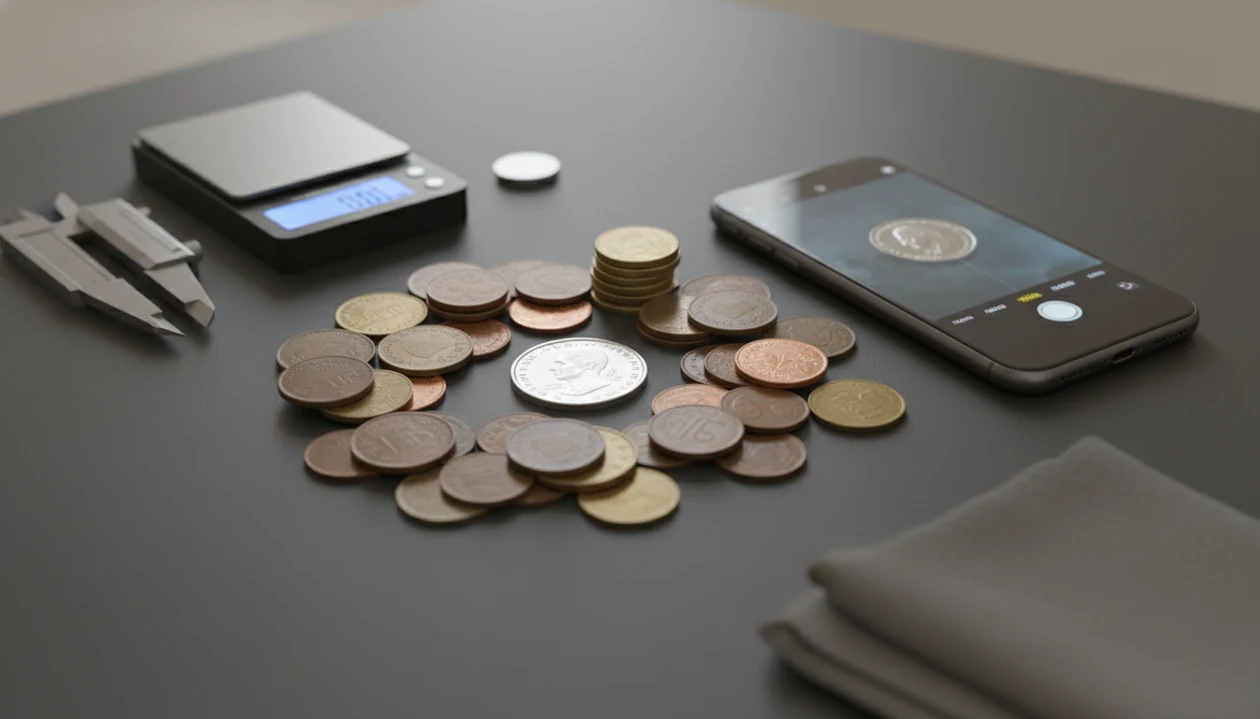
Yes, an app that tells if coin is silver can help, but it should be treated as a screening tool, not a final metal assay. The best workflow combines photo identification, date and mint mark lookup, official composition specs, weight, diameter, edge inspection, magnet response, and sometimes a ping test.
Definition: A silver coin app is a mobile tool that identifies a coin from photos or sound, then compares the likely coin type against known silver composition and physical specifications.
TL;DR
- A camera cannot directly detect silver purity; the app must identify the exact coin first.
- Official specs such as composition, weight, diameter, and fineness are the backbone of any silver check.
- Use apps for fast screening, then verify valuable or suspicious coins with measurements, references, or a professional test.
How these apps look
Side-by-side captures of the compared products. Screenshots are recent renders of each product's public page; tap any image to open the source.
Silver Coin App Answer: What a Phone Can and Cannot Confirm
A silver coin app can estimate whether a coin should be silver after it identifies the coin type, country, denomination, date, and mint mark. It cannot chemically scan the coin through the camera or guarantee that the individual piece is genuine.
That distinction matters. “This issue was struck in silver” means the reference record matches a silver composition. “This exact coin is genuine silver” requires physical checks. A 1964 dime found in a drawer may be worth a closer look, but a plated counterfeit can still look convincing in a photo.
Tools like CoinEd can help with photo-first coin identification, rarity lookup, and collection value estimation for beginners and collectors, not instant certified metal testing.
For this workflow, CoinEd is strongest when you use it as the first identification layer: scan both sides, confirm the exact issue, then compare the date, mint mark, rarity, and value clues against silver specs. CoinIdentifier should not be treated as a chemical silver assay.
How an App That Tells If a Coin Is Silver Works
An app that checks silver usually follows a chain: image capture, coin recognition, date and mint mark extraction, database matching, then composition and specification lookup. In plain terms, the app tries to name the coin before it says anything about metal.
Photo recognition for coin type
Photo recognition compares the obverse, reverse design, lettering, date, and mint mark against known examples. Start with the obverse, then turn the coin over under steady light. We have seen dark wooden tables make copper cents look redder than they are, so neutral backgrounds help.
Ping analysis for sound signature
Ping-test apps use acoustic resonance, the vibration pattern from a gently tapped coin. A 2016 study found that resonance testing could distinguish genuine precious-metal coins from tungsten-cored counterfeits when dimensions were known source. Sound helps, but it depends on known size, correct tapping, and a supported coin type.
Not magic. Physics and reference data.
Before You Scan: What You Need for a Reliable Silver Check
Before you scan, set up the coin so the app can identify it cleanly and your follow-up checks can catch obvious mismatches. A reliable silver check needs good photos, readable details, and basic measuring tools ready before you trust the result.
- Choose a clean, steady surface with a plain, neutral background. A gray card, white paper, or matte desk is better than patterned fabric, shiny wood, or a cluttered tray.
- Leave the coin as found unless you are only removing loose dust from the holder. Do not polish, rub, dip, or “brighten” the surface, because cleaning can damage value and change how wear or luster appears in photos.
- Check the date and mint mark before scanning. If they are weak, tilt the coin under soft light and take extra photos rather than guessing.
- Prepare a 0.01 g digital scale so you can compare the measured weight with the expected specification after the app identifies the issue.
- Use calipers or a millimeter ruler to confirm diameter. Even a small size mismatch can point to the wrong coin type, heavy wear, damage, or a counterfeit.
5-Step Coin Silver Checker Workflow
Use a coin silver checker as a sequence, not a single yes-or-no button. Official mint data is stronger than color, shine, or a seller’s label.
- Identify first: Confirm country, denomination, date, mint mark, and reverse design before judging silver content.
- Check official composition: The U.S. Mint reports that circulating U.S. dimes, quarters, and half dollars were 90% silver through 1964 source.
- Weigh the coin: A digital scale can flag wrong planchets, heavy plating, or excessive wear.
- Measure diameter: Compare millimeters against official specs, not a ruler guess.
- Inspect edge and magnet response: A clad edge can reveal base metal, but non-magnetic does not automatically mean silver.
For U.S. examples, a silver dime identifier is often easier than guessing from color because the date and design narrow the issue quickly.
How to Use a Silver Coin App With Photos and Specs
Use a silver coin app to build a case from several clues. The most reliable home workflow is identification plus measurement, because each step checks a different failure point.
- Photograph both sides in clear, even light, with the coin flat and centered.
- Confirm the country, denomination, date, and mint mark before trusting any silver result.
- Compare the app result with official composition data for that exact coin issue.
- Weigh and measure the coin against published weight and diameter specs.
- Use edge, magnet, and optional ping checks before relying on the result.
If you use CoinIdentifier, save the scan result with the weight, diameter, edge note, and magnet response in the same collection entry so the silver call is auditable later.
A beginner turning over a wheat cent under a kitchen light learns the same lesson fast: the tiny mint mark changes the reference record. For broader photo matching, a silver coin identifier can keep the date and mint mark check in one place.
Official Silver Coin Specs to Confirm After a Scan
Official specifications give the benchmarks a scan cannot measure: composition, fineness, weight, and diameter. If the app identifies the coin correctly but the physical measurements do not match, consider damage, wrong identification, or counterfeit risk.
For bullion rows, link the benchmark specs to the issuing mints: American Silver Eagle specs are published by the U.S. Mint (https://www.usmint.gov/coins/coin-medal-programs/american-eagle/silver-bullion), and Silver Britannia weight, diameter, and fineness are published by The Royal Mint (https://www.royalmint.com/invest/bullion/bullion-coins/silver-coins/britannia-silver-bullion-coins/).
| Coin type | Official silver specification | Weight | Diameter | Why it matters |
|---|---|---|---|---|
| American Silver Eagle | 1.000 troy ounce of 99.9% fine silver | 31.103 g | 40.60 mm | A major mismatch can flag a fake or wrong coin type. |
| 1 oz Silver Britannia | 999 fine silver | 31.21 g | 38.61 mm | Similar silver weight, different diameter, so specs must match the exact issue. |
| U.S. pre-1965 dime, quarter, half dollar | 90% silver for regular circulating issues through 1964 | Varies by denomination | Varies by denomination | Date and denomination decide the silver rule. |
For bullion, the number on the scale matters. For older circulation coins, the date and mint mark come first.
Common Myths About Coin Silver Scanner Apps
Coin silver scanner apps are useful, but several habits lead to bad calls. The clink of mixed nickels, dimes, and foreign coins poured from an inherited coffee can can make everything feel possible; the checks still need order.
- Camera-as-metal-detector myth: A phone camera identifies designs and text; it does not read silver purity.
- Silver-color myth: Copper-nickel, plated coins, and some world coins can look silver in photos.
- Non-magnetic myth: Many non-silver alloys are also non-magnetic, so a magnet is only one clue.
- Pass-result myth: A pass result does not prove authenticity, grade, or estimated value range.
- One-app-covers-all myth: Obscure world coins, tokens, and new bullion issues may be outside a database.
For unfamiliar legends or scripts, a world coin identifier can help establish the country before any metal question is useful.
When a Coin Silver Checker Needs Expert Verification
A coin silver checker needs expert verification when the coin appears high-value, rare, heavily worn, cleaned, altered, or simply suspicious. App checks do not establish numismatic grade, rarity premium, or market value by themselves.
XRF testing, or X-ray fluorescence, is one professional method for reading metal composition without cutting into the coin. For the underlying method, NIST describes X-ray fluorescence as identifying elements from characteristic X-rays emitted by a material (https://www.nist.gov/pml/x-ray-fluorescence). Most users do not need XRF for every worn Roosevelt dime. It becomes relevant when value, authenticity, or resale confidence is high enough to justify stronger evidence.
Keep the result in your collection notes. If the question shifts from “Is this silver?” to “What is it worth?”, the melt value vs collector value debate becomes the next check, not a reason to speculate.
Limitations
Silver coin apps are screening tools with real limits. Wiping dust from a cardboard 2x2 flip is fine, but do not clean the coin itself to “help” the photo.
- Photo apps can misread worn coins, cleaned surfaces, poor lighting, partial dates, or damaged mint marks.
- A camera cannot measure exact silver purity, fineness, or plating thickness.
- Ping-test apps can be affected by background noise, poor tapping technique, wrong dimensions, or unsupported coin types.
- High-quality counterfeits may fool both photo recognition and sound checks.
- Database-only apps may miss obscure world coins, privately made rounds, tokens, or newly released bullion.
- A non-magnetic result does not prove silver content.
- App results should not replace official specs, precise measurements, trusted references, or expert review for valuable coins.
For stronger metal-focused checks beyond app screening, a tool that can check coin metal may fit better than photo ID alone.
FAQ
Can an app detect silver in a coin?
An app usually infers silver content from coin identification, official specs, or sound analysis. It does not chemically detect silver through the phone camera.
Can I scan a coin to see if it is silver?
Yes, you can scan a coin to identify the type, date, denomination, country, and mint mark. Then compare the result with composition specs, weight, diameter, edge, and magnet response.
Are silver coin apps accurate?
Silver coin apps can be accurate for clear, supported coins with readable dates and good photos. Accuracy drops with worn coins, poor lighting, missing mint marks, unsupported types, or weak measurement checks.
Do ping test apps work for silver coins?
Ping test apps can work for supported coins with known dimensions and expected sound signatures. They are not universal tests for every antique, world, or damaged coin.
Is a non-magnetic coin silver?
No. Many copper-nickel, brass, aluminum, and other non-silver alloys are also non-magnetic.
What years are U.S. coins silver?
Regular U.S. circulating dimes, quarters, and half dollars were 90% silver through 1964. Silver years vary by country, denomination, and special issue.
Can fake silver coins pass app checks?
Yes. High-quality counterfeits, altered coins, or plated pieces can sometimes pass photo or sound screening.
What tests confirm a coin is silver?
The strongest confirmation combines exact identification, official composition specs, weight, diameter, edge inspection, magnet response, and expert testing when needed. XRF testing can confirm metal composition for valuable or suspicious coins.