
App That Identifies Coin Errors and Flags Uncertainty
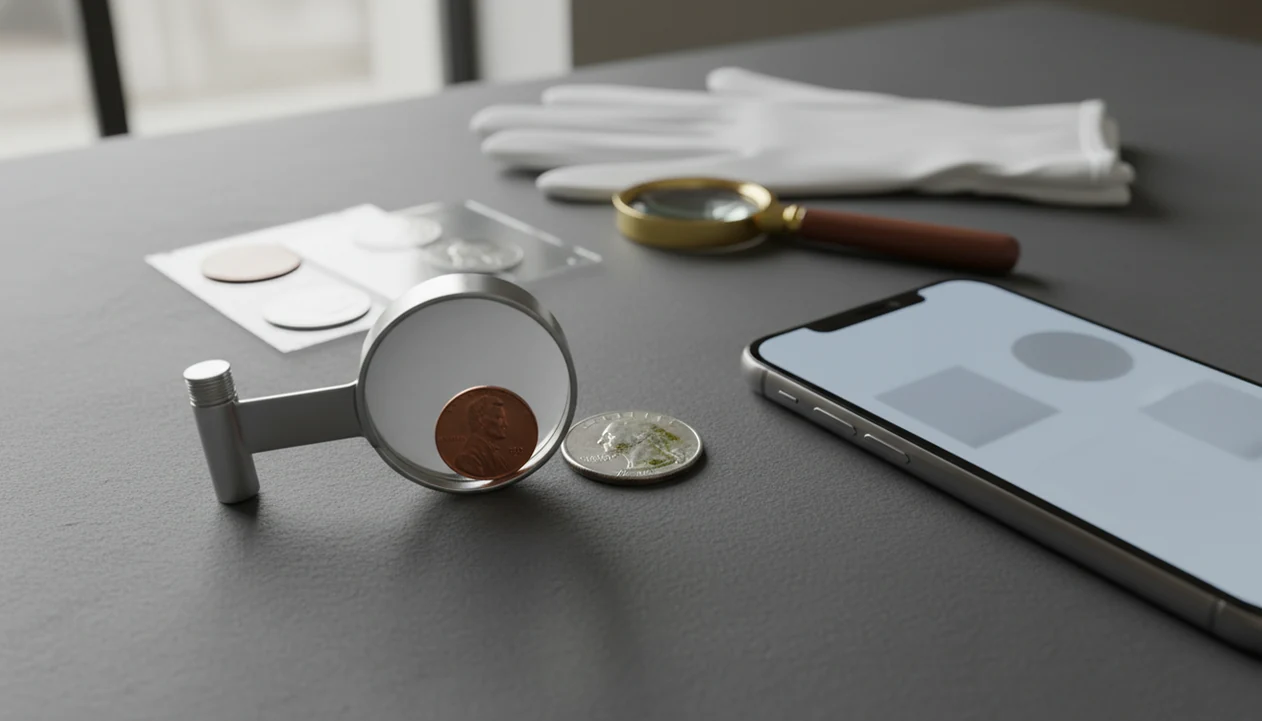


Yes, an app that identifies coin errors can help triage coin photos, but it should treat every result as a probability, not proof. The safest workflow is to identify the coin first, compare the suspected error against known mint-error references, and escalate only high-confidence finds to expert attribution or grading.
> Definition: A coin error scanner app is a photo-based tool that uses image recognition, coin databases, and value references to flag possible mint errors while separating them from common wear, damage, and machine doubling.
- Use an error app as a first-pass filter, not a final authentication tool.
- Most odd-looking coins are post-mint damage, cleaning, corrosion, or machine doubling rather than valuable mint errors.
- Major suspected errors should be verified with references, recent sales, and recognized grading services such as PCGS or NGC.
How these apps look
Side-by-side captures of the compared products. Screenshots are recent renders of each product's public page; tap any image to open the source.
Coin Error Scanner App Definition for Beginners
A coin error scanner app scans coin photos, identifies the coin type, and compares visible oddities against known mint errors and varieties. It can suggest that a coin is worth a closer look, but it cannot prove when or how the mark happened.
Start with the obverse, then check the reverse design, date, and mint mark. A beginner turning over a wheat cent under a kitchen light may find the tiny mint mark under the date only after rotating the coin twice.
Tools like CoinEd can help with photo-first identification, rarity hints, grade hints, and value context before you decide whether an error claim makes sense. Good photo-first coin identifier and value estimation app for collectors and beginners should deliver organized evidence and conservative clues, not instant certified grade or guaranteed rare coin claims.
At-a-Glance Framework for an App That Identifies Coin Errors
Use the app result as a triage label, then decide how much verification the coin deserves. Low, medium, and high confidence labels are more useful than a single “error” badge.
| app result | likely meaning | next action | grading priority |
|---|---|---|---|
| Likely normal coin, high confidence | Common circulation find with ordinary wear | Save basic ID and move on | Low |
| Possible damage, medium confidence | Scratch, dent, corrosion, heat, or cleaning | Compare with an error coin vs damage checklist | Low |
| Possible variety, medium confidence | Die variety, doubled die candidate, or mint mark clue | Check date, mint mark, and variety references | Medium |
| Possible major mint error, medium confidence | Off-center strike, clip, broadstrike, or wrong planchet candidate | Photograph again and compare sold examples | Medium to high |
| High-value match, low confidence | App found a similar auction result | Verify exact variety and grade before assuming value | High only after confirmation |
For beginners, a confidence framework is often safer than a price-first scan because it slows down the jump from “unusual” to “valuable.”
Coin Error Detection Workflow Inside a Mint Error App
Coin error detection works by turning a phone photo into visual data, then comparing that data with known coin designs, dates, mint marks, varieties, and market records. In technical terms, the app may use image embeddings, which are compact visual fingerprints that help match one coin image to similar reference images.
The usual workflow is photo capture, coin type recognition, date and mint mark detection, reference matching, then anomaly detection. A lamp angled toward a faint mint mark can help, but harsh glare can make a scrape look raised.
The U.S. Mint reported roughly 14.4 billion circulating coins produced in calendar year 2023, according to its circulating coin production tables (https://www.usmint.gov/about/production-sales-figures/circulating-coins-production). That scale explains why genuine mint errors are rare compared with normal coins. An app can narrow the pile. It cannot replace attribution.
5 Safe Steps for Using a Coin Error Scanner App
Use a coin error scanner app in a repeatable order so the result is easier to verify later. The goal is not to make the coin look better; it is to record what is actually there.
- Avoid cleaning the coin. Wipe dust from the cardboard 2x2 flip if needed, but do not clean the coin itself.
- Set up diffuse light. Use a plain surface and avoid bright reflections across the date or rim.
- Photograph both sides. Start with the obverse, then capture the reverse design straight on.
- Review the uncertainty label. Treat “possible error” as a research prompt, especially for machine doubling.
- Save the record. Store photos, date and mint mark, suspected error, condition notes, and estimated value range.
For most collectors, a saved scan plus notes is better than a loose screenshot because the evidence stays attached to the coin.
Photo Requirements Before Coin Error Detection
Clear photos reduce false positives and false negatives in coin error detection. The app needs the whole coin, the key details, and a view of the suspected problem without shadows hiding the surface.
- Use a plain background so the coin edge does not blend into clutter.
- Use diffuse light, not a direct flash, to avoid glare on copper and silver-colored coins.
- Keep the camera steady and square to the coin.
- Capture full-frame shots of both sides before zooming in.
- Add close-ups of the date, mint mark, rim, and suspected error area.
Obverse and reverse photos
Take one centered image of each side before any close-up. A coin centered inside a cardboard flip can work if the plastic is clean and not reflecting light.
Close-ups for suspected errors
Close-ups help, but they can mislead. Dark wooden tables often make copper cents look redder than they are, and tilt can turn scratches into raised-looking “doubling.”
7 Mint Error App Results Worth Checking
Some mint error app flags deserve reference checking because they match real categories collected by specialists. Value still depends on exact variety, condition, severity, date, mint mark, and demand.
- Doubled dies: The design was doubled on the die itself, not merely flattened during strike movement.
- Off-center strikes: Part of the design is missing because the planchet was not centered.
- Clipped planchets: A curved or straight missing piece came from blanking before striking.
- Wrong planchets: The coin was struck on a blank meant for another denomination or metal.
- Broadstrikes: The coin spread beyond normal diameter because the collar failed.
- Missing mint marks: Some dates have known missing-mint-mark varieties, but most missing marks are normal for that issue.
- Die cracks: Raised lines can come from a cracked die, though many are minor.
The doubled die vs machine doubling distinction matters because machine doubling is usually flat, shelf-like, and far less collectible.
Common Myths About Apps That Identify Coin Errors
Does an app guarantee a genuine mint error? No. It can flag a pattern that resembles a known error, but it cannot prove the coin left the mint that way.
Several myths cause beginners to overvalue damaged coins. One is that every odd mark is valuable. Another is that a high auction result means a similar-looking coin is worth the same. A third is that a phone app can detect every tiny die variety without magnification.
The U.S. Bureau of Engraving and Printing warns that many submitted currency items are damaged, mutilated, or altered rather than genuine production errors (https://www.bep.gov/services/mutilated-currency-redemption). That statistic is for paper money, but the warning carries over to coins: post-production damage fools people often.
The pocket check is real.
When an app flags a suspicious nickel or cent, compare the exact date, mint mark, and surface features before thinking about price.
Verification Steps After a Coin Error Scanner App Flag
A coin error scanner app flag should move you into verification, not directly into selling or grading. The strongest checks compare the same coin type, same date and mint mark, same variety, and similar grade.
- Confirm the base coin. Identify denomination, country, date, mint mark, metal, and reverse design.
- Compare trusted references. Use official mint information, variety listings, grading-service explainers, and numismatic references.
- Match recent sold prices. Ignore asking prices unless the sale matches the same attribution and approximate condition.
- Inspect under magnification. Subtle doubling, repunched marks, and die states often need more than a phone camera.
- Consider professional attribution. Use PCGS, NGC, or another recognized service when the likely value justifies the fee.
PCGS says it has graded more than 50 million coins since 1986, which shows why third-party authentication remains important after casual app screening (https://www.pcgs.com/about). For date-and-die research, a coin variety identifier workflow can help organize the next check.
Collection Workflow for CoinEd Error Reviews
A one-time scan becomes more useful when it turns into a collection record. Save the obverse photo, reverse photo, date and mint mark, suspected-error label, confidence level, condition notes, and estimated value range in one place.
CoinEd can support that photo-first workflow by helping identify the coin, add rarity hints, show grade hints, and provide value context. CoinIdentifier is most useful when the app note says “possible clipped planchet, medium confidence,” not just “rare.”
The U.S. Mint has described millions of Americans as active coin collectors in its collector outreach and market research, which helps explain why inherited jars, bank rolls, and pocket change need calm records instead of scattered guesses (https://www.usmint.gov/learn/collecting-basics). One practical setup is a collection value list beside a calculator, with condition notes scribbled on index cards.
Limitations
Error-app results are useful, but they have real limits. Treat them like collection notes until a stronger reference or expert confirms the claim.
- AI can misread blurry photos, glare, corrosion, cleaning, heavy wear, and dark shadows.
- An app cannot prove whether damage happened before or after minting.
- Subtle varieties may require magnification, specialist references, and die-stage knowledge.
- Value estimates are rough and depend on grade, exact attribution, market demand, and recent sales.
- Machine doubling, scratches, dents, and plating issues often look more dramatic in phone photos.
- Proof coins, circulation strikes, and altered surfaces can be confused without context; the proof vs circulation strike distinction can matter.
- Expensive coins should be evaluated by a recognized expert or grading service before sale, insurance, or estate decisions.
The safer habit is simple: label uncertainty first, price later.
FAQ
Is there an app for coin errors?
Yes, coin error apps can flag possible mint errors from photos. They do not authenticate errors with certainty.
Can an app detect doubled dies?
An app may flag doubled-die candidates, especially on well-known dates. True attribution often needs magnification and variety references.
Are coin error apps accurate?
Accuracy depends on photo quality, coin condition, lighting, and whether the error is major or subtle. Blurry images and damaged coins reduce reliability.
What coin errors are valuable?
Major doubled dies, off-center strikes, wrong planchets, clipped planchets, and some missing mint marks can be valuable. Value depends on exact attribution, grade, severity, and demand.
Is machine doubling valuable?
Most machine doubling is common and usually not valued like a true doubled-die variety. It often looks flat or shelf-like rather than fully doubled.
Should I clean an error coin?
No, do not clean a suspected error coin. Cleaning can reduce value and confuse identification.
When should I grade an error coin?
Consider grading when references, rarity, condition, and likely market value justify the cost. Low-value uncertain coins usually should not be submitted first.
Can damaged coins look like errors?
Yes, scratches, dents, corrosion, heat damage, and cleaning frequently mimic mint errors. This is why app results should be verified before pricing or selling.