
What Happens When You Scan a Coin in an Identifier App
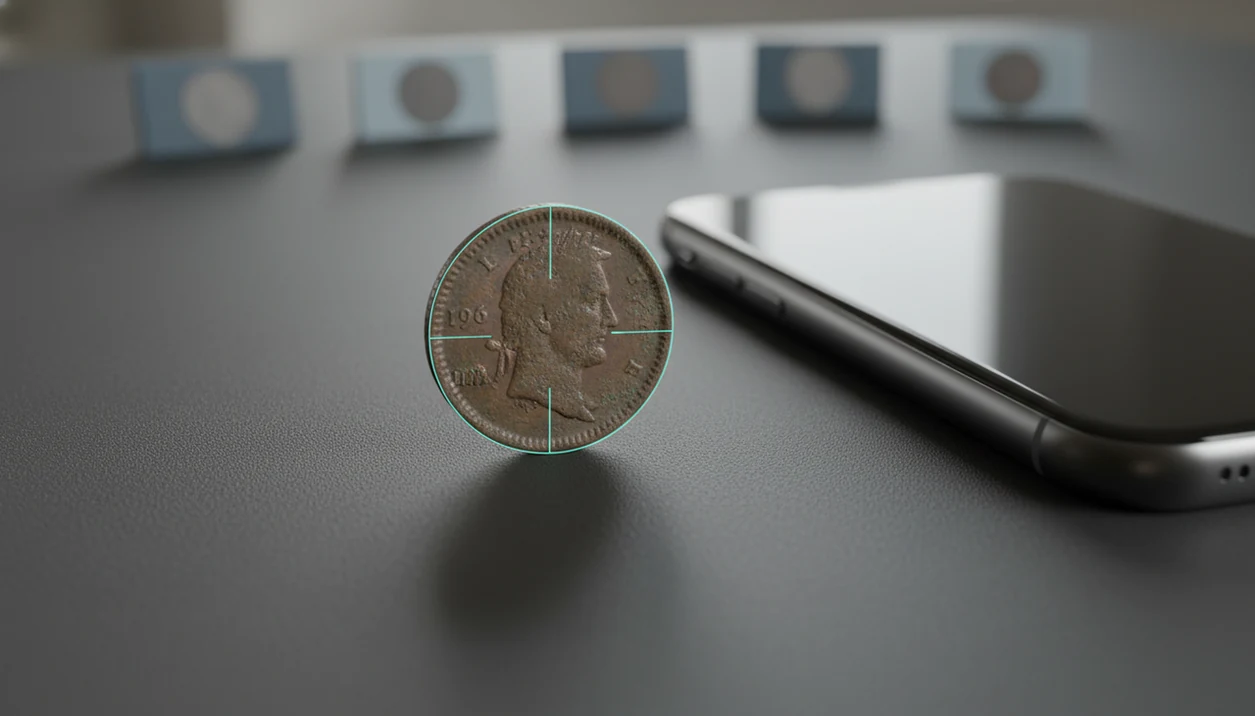
When you scan a coin, the software analyzes your photo, compares visible details with reference images, returns ranked matches, and adds value, rarity, and collection context for you to verify.
Definition: A coin scanner identifies coins from photos, shows rarity and grade hints, and helps beginners and collectors estimate coin value.
TL;DR
- A coin scan is a confidence-based visual match, not a guaranteed identification.
- The app checks details such as date, mint mark, denomination, portrait, symbols, inscriptions, wear, and sometimes edge text.
- After every scan, verify the date, mint mark, condition, and value range before buying, selling, or saving the coin as important.
What happens when you scan a coin in an AI coin matching app
A coin scan starts with a clear photo, usually of the obverse first, then the reverse when possible. The app extracts visible features and compares them with known coin references to return likely matches.
The scan looks for the portrait, inscriptions, date, mint mark, denomination, border style, symbols, and reverse design. Coin scan results usually show a likely coin name, country, denomination, date range, rarity context, and estimated value range. If the coin is worn, the app may give several close possibilities instead of one clean answer.
The first result is a best match, not official authentication or certified grading. A beginner turning over a wheat cent under a kitchen light still needs to check the tiny mint mark under the date before saving the result.
Before You Scan a Coin
Before you scan a coin, set up the photo so the app can see the same details you would check by hand. A few small choices before the first image can prevent glare, fingerprints, and misleading results.
- Choose indirect light and place the coin on a plain, non-glossy background. A white napkin, matte card, or simple cloth often works better than a shiny counter because reflections can hide dates and lettering.
- Handle the coin by the edge so your fingers do not cover the rim, portrait, mint mark, or reverse design. This also helps avoid fresh fingerprints on the surface.
- Leave the coin uncleaned before photographing or saving it. Rubbing, polishing, or washing can change the surface and may reduce collector value, even if the coin looks brighter afterward.
- Keep a magnifier nearby for tiny mint marks, faint dates, designer initials, and edge text. The app may narrow the match, but your eyes still confirm the small clues.
- Decide the purpose of the scan before you start: quick sorting, value checking, or deeper research. That choice tells you how many photos, notes, and follow-up checks are worth saving.
AI coin scanner process: photos, features, and confidence scores
AI coin matching works by turning your coin photo into visual features, then comparing those features against reference images. In plain language, the app is asking, “Which known coin looks most like this one?”
The process may read text, portraits, symbols, borders, date placement, mint mark location, shape, metal color, and edge details. Some systems use image embeddings, which are numerical summaries of visual patterns. That is the technical layer behind a ranked match list.
A scan may show multiple candidates because similar coins share portraits, legends, and reverse designs. A worn buffalo nickel with a faint date can sit close to several types, especially if the photo is dark or tilted. Controlled coin-image datasets can produce strong recognition results, but benchmark photos are cleaner than pocket-change scans; see the COINS dataset paper for an example of controlled image-recognition conditions (https://arxiv.org/abs/1704.06497).
For collectors, AI coin matching is often faster than manual browsing because it narrows thousands of references to a short list.
Five coin scan results every collector should read first
Read the identification details before you read the value. The most useful coin scan results are the fields that help you confirm the coin, not the fields that make it sound exciting.
- Coin name, country, and denomination: These identify the basic type, such as a U.S. Lincoln cent, Canadian nickel, or French franc.
- Date and mint mark: A small mark can change the exact issue, mintage, and sometimes value; start with the obverse when the mark is near the date.
- Rarity or mintage context: Most circulation finds are common, even when the design looks unfamiliar or old.
- Condition or grade hint: Treat grade suggestions as rough wear estimates, not a professional grade.
- Estimated value range and save options: Use the value as context, then save photos and notes if the coin is worth a closer look.
A good photo-first coin identifier and value estimation app for collectors and beginners delivers faster sorting and clearer next steps, not guaranteed rare-coin labels or instant certified grades.
Coin scan verification workflow for beginners
Use a scan as the start of verification, not the end. A simple workflow helps you turn one phone photo into a more reliable collection record.
- Set the coin on a plain background in indirect light, away from glare and strong shadows.
- Photograph both sides and retake any image that is blurry, cropped, or blocked by fingers.
- Review the top few AI coin matching results, not only the first result on the screen.
- Compare the date, mint mark, denomination, inscriptions, and reverse design against the physical coin.
- Save the verified coin with notes, both-side photos, and an estimated value range.
A rolled group of pennies spilled across a placemat can look easy at first. Then two cents with nearly identical portraits need separate date and mint mark checks. If you want a fuller photo checklist, the guide to how to scan both sides of a coin covers that setup in detail.
Step 1: Capture coin photos that improve AI coin matching
Better photos produce better coin scan results because the app can only compare the details it can see. Use steady focus, natural or diffuse light, and a non-reflective background.
Photograph the obverse and reverse straight-on. Fill most of the frame, but do not cut off the rim, edge, date, or lettering. A coin balanced on a white napkin often gives cleaner contrast than a glossy table. Dark wooden tables can make copper cents look redder than they are, which may confuse color-based clues.
Avoid glare, fingers over details, tilted angles, and extreme zoom blur. If a coin has edge text, reeds, or unusual edge markings, take a separate edge photo. Not fancy. Just readable. Beginners who need a broader setup can use this how to identify coins with phone guide before scanning a mixed batch.
Step 2: Compare the top AI coin matching candidates
What happens when you scan a coin if several matches appear? The app is showing ranked confidence results, meaning several known coins share enough visual details to stay in the candidate list.
Similar coin designs often appear together. Portraits may match across decades, legends can repeat, and commemorative reverses may share layout features. Compare the portrait, legend, symbols, reverse design, metal color, and date placement before choosing one result. A worn date on a buffalo nickel can make the app lean toward the wrong year range.
Foreign scripts and small mint marks can also mislead a scanner. So can commemoratives with crowded designs. If a result says the coin is from another country, check the alphabet, denomination, and reverse symbols before dismissing it. The guide on what app identifies foreign coins explains those clues for world coin scans.
Step 3: Check coin value context after the scan
A scan-based value range is context, not a guaranteed sale price. It may draw from catalog data, comparable sales, retail listings, or broad market averages.
Separate the numbers before making a decision. Face value is what the coin spends for. Catalog value is a reference estimate. Retail asking price is what a seller hopes to receive. Realistic sale price is what a buyer actually pays after condition, demand, fees, and timing are considered.
Certified grading can affect market value because a trusted holder may reduce uncertainty for buyers. For context, grading services describe how certified grades standardize condition opinions for buyers and sellers; see PCGS’s grading overview (https://www.pcgs.com/grades) and NGC’s coin grading scale (https://www.ngccoin.com/coin-grading/grading-scale/). That matters most for high-value coins, key dates, and coins where one grade point changes the price sharply. A 1964 dime also raises the common question, “Is this silver or just old?” The answer needs date, composition, and condition checks, not only a scan. For value-focused workflows, a coin value app can help organize estimates without turning them into appraisals.
Step 4: Save verified coin scan results in your collection
Saving scan results turns a quick identification into a useful collection record. Keep both-side photos, identification, date, mint mark, grade hint, rarity note, and estimated value range together.
Add personal notes that an app cannot infer. Record where the coin came from, purchase price, storage location, uncertainty, and any later research. If you wiped dust from a cardboard 2x2 flip before photographing it, note the holder condition, but do not clean the coin itself.
Collection notes matter when you manage many visually similar coins. Album holes waiting for missing dates are easier to fill when each saved scan has the right mint mark and reverse type. If a coin is rephotographed, professionally graded, sold, or corrected later, update the record rather than replacing the history. A saved collection record can support this scan-and-save habit for beginners building their first inventory.
Common coin scanning myths about rarity, value, and AI matches
Coin scanning myths usually start when a result is treated as final. The safer approach is to treat each scan as a ranked clue that still needs date, mint mark, condition, and reference checks.
| Myth | What is more accurate |
|---|---|
| The first match is always correct. | The first match is usually the top visual candidate, not proof. |
| Rare means automatically valuable. | Rarity helps, but demand, condition, authenticity, and market timing matter. |
| AI coin matching replaces professional grading. | Scan-based grade hints are rough estimates, not certified grades. |
| Every error coin can be found from one phone photo. | Subtle die varieties, minor mint errors, and edge differences often need magnification. |
Modern circulating coins can have mintages in the hundreds of millions or billions; the U.S. Mint publishes monthly circulating coin production figures that show how common many current issues are (https://www.usmint.gov/about/production-sales-figures/circulating-coins-production). That is why many scanned coins are common circulation finds despite an exciting-looking match.
Myth: the first coin scan result is final
The first result is a starting point. Compare it with the top few candidates, especially when the coin has heavy wear or an unfamiliar reverse design.
Myth: every rare label means high value
A rare label does not guarantee a strong sale price. Condition, buyer demand, certified status, and the exact variety all shape value.
Limitations
Coin scanners are useful sorting tools, but they have clear limits. High-value, rare, or suspicious coins deserve verification beyond an ordinary phone photo.
- Poor lighting, blur, glare, cropping, and missing reverse images can cause wrong IDs.
- Heavy wear, corrosion, toning, cleaning marks, or damage can hide the details the model needs.
- AI coin matching may miss subtle die varieties, minor mint errors, and edge differences.
- Apps cannot reliably authenticate high-quality counterfeits from ordinary photos.
- Automated grade hints cannot distinguish many high-value grading differences.
- Value estimates may lag current market prices, regional demand, auction premiums, provenance, or certified-holder premiums.
- A photo may exaggerate color, especially on copper, silver-toned alloys, or cleaned surfaces.
- High-value, rare, or suspicious coins should be checked with a reputable catalog, dealer, numismatic expert, or professional grading service.
A small label reading “possible error coin” is a reason to slow down, not a reason to assume a premium.
FAQ
Is coin scanning accurate?
Coin scanning can be accurate with sharp, well-lit photos of both sides. Accuracy drops with blur, glare, heavy wear, close design similarities, and missing details.
What does a coin scanner read?
A coin scanner reads visible details such as date, mint mark, text, portraits, symbols, denomination, metal color, shape, borders, and sometimes edge details. It compares those features with reference images.
Can a coin app value coins?
A coin app can estimate value ranges from available references and market context. It cannot guarantee a sale price or replace a formal appraisal.
Why did my coin scan fail?
A scan may fail because of blur, glare, cropping, missing sides, heavy wear, corrosion, or an unusual variety. Retaking both sides in diffuse light often helps.
Should I scan both sides of a coin?
Yes, scanning both sides improves identification because many coins share similar obverse designs. The reverse design often confirms the type, denomination, and date range.
Can AI find error coins?
AI may flag obvious errors or unusual visual features. Subtle die varieties and mint errors still need magnification, reference comparison, or expert review.
Does scanning grade a coin?
Scanning can provide a rough grade hint based on visible wear and surface condition. It is not professional certification.
Can coin scanners detect fake coins?
Photo-based scanners cannot reliably authenticate high-quality counterfeits. Suspicious or valuable coins should be checked by a qualified dealer, expert, or grading service.