
> Definition: A collection tracker is a digital inventory feature that stores each identified coin's photo, grade, rarity data, purchase price, and estimated value in an organized, searchable catalog tied to your account.
At a Glance: 5 Facts About the Coin Collection Tracker
- AI identification feeds the record. A scan becomes inventory fields, not just a saved picture. The date and mint mark become searchable details.
- Rarity and value estimates travel with the coin. Each saved entry can include rarity notes, grade hints, and an estimated value range.
- Sorting is built for collectors. A coin collection tracker should organize by type, country, year, denomination, grade, and storage location.
- Duplicates become easier to spot. If you already logged a 1944-D wheat cent, buying another common example is easier to catch before checkout.
- Beginners get structure early. Rolled pennies spilled across a placemat become entries with names, years, and notes instead of a loose pile.
When the issue is turning quick scans into records you can trust later, this workflow fits because identification results can be saved into a structured collection workflow.
How a Coin Portfolio Tracker Works Behind the Scenes
A coin portfolio tracker works by converting photo identification into a saved data record. The record usually includes coin type, country, year, denomination, mint mark, reverse design, and grade hints.
Behind the screen, image recognition compares the obverse and reverse to catalog patterns. Those image embeddings are a machine-readable way to match shapes, lettering, and design features. Then catalog and market references attach rarity context and an estimated value range. PCGS reports price guide coverage for more than 15,000 U.S. coin types and varieties, which shows how much reference data a tracker may need to handle source.
The saved record keeps that output in your collection with editable fields for purchase price, source, storage location, and notes. Collection-level analytics then roll individual entries into totals by series, country, grade range, or value band.
For collectors who compare stacks after every coin show, a coin portfolio tracker is often easier than memory because each decision leaves a searchable record.
How to Use the Coin Inventory Feature in CoinEd
Use the coin inventory feature by scanning first, then saving the result with your own collection notes. Start with the obverse, then capture the reverse under steady light.
- Snap or upload a photo of your coin. Use a flat background and avoid glare on prooflike surfaces.
- Review the AI identification result. Check type, year, mint mark, denomination, and grade hints before saving.
- Save the coin to your collection tracker. The app keeps the identification connected to the inventory entry.
- Add personal notes. Include purchase price, source, storage location, and condition details.
- Search, filter, or sort your inventory. Use country, year, denomination, grade, tags, or storage box.
- Review estimated portfolio value. Look for duplicates, missing dates, and possible upgrade targets.
If your priority is a repeatable identify, save, track, review routine, this photo-first workflow covers it with a photo-first workflow tied to editable inventory fields. For scan technique, our identify coin from photo guide covers lighting and angle checks.
When to Start Tracking Your Coin Collection
Start tracking your collection as soon as you keep coins on purpose. Day 1 records prevent duplicate purchases and build a learning trail from common circulation finds to better pieces.
A 2022 Deloitte collector survey reported that 43% of collectors use digital tools, including online databases and apps, to manage collections source. That shift makes sense. A beginner with a coffee can of mixed wheat pennies can record which dates are already owned before buying more. An advanced collector can document varieties, certification numbers, purchase sources, and insurance notes.
The earlier you start, the more complete your provenance and purchase-price records become. Provenance simply means the ownership history and source details tied to the coin.
Small notes matter later.
For beginners who need a low-friction first system, photo-first tracking helps because the scan result becomes the starting record instead of a blank spreadsheet row.
What the Collection Tracker Looks Like in CoinEd
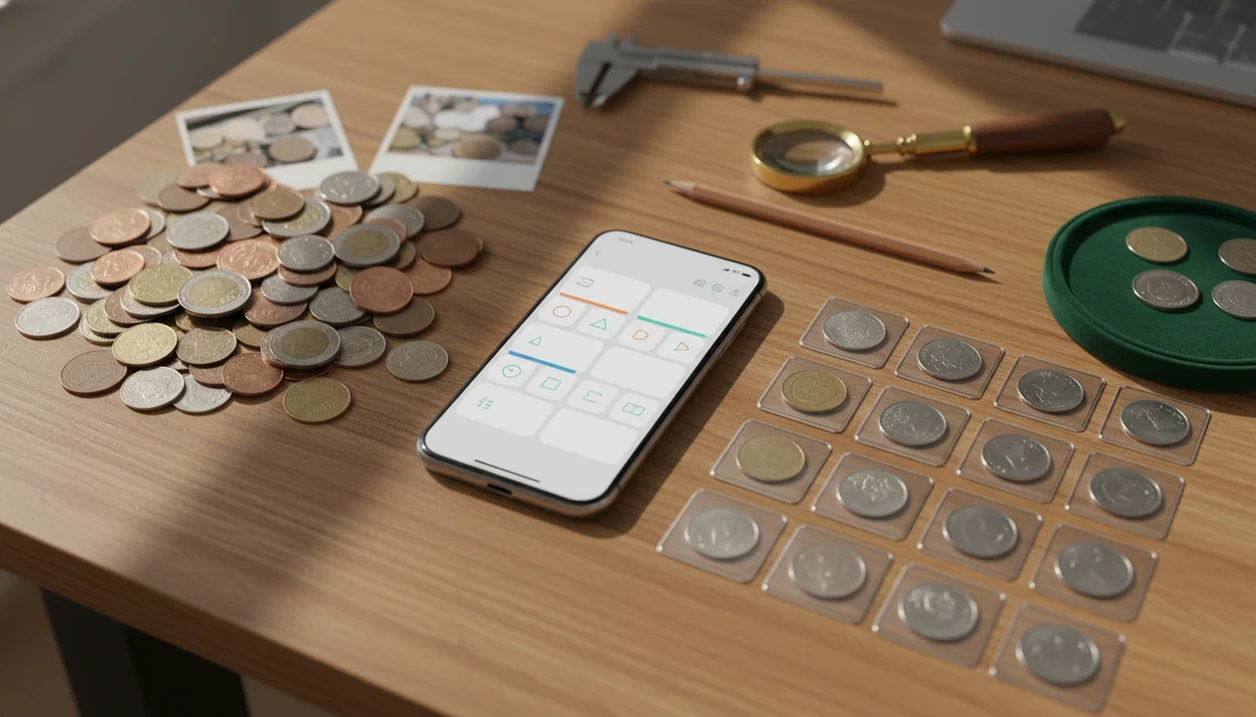
The collection tracker is designed around saved coin entries, not loose image storage. You can view coins in a grid or list, with thumbnail photos visible before opening a detail page.
Each detail screen can show the photo, identification result, grade hints, rarity notes, estimated value, and personal notes. Editable fields may include purchase price, acquisition source, storage location, certification number, and custom tags. That matters when a drawer of 2x2 holders and staples starts looking too similar.
Filters let you narrow by country, year, denomination, grade, or tag. A portfolio summary gives total estimated value, coin count, and composition by category. A useful tracker gives collectors and beginners organized context — identification, rarity hints, and value estimates — without implying that every coin is rare.
For iOS-specific scanning behavior, the CoinEd for iPhone page explains the phone workflow.
Coin Collection Tracker vs. Spreadsheets and Manual Logs
A dedicated coin collection tracker reduces manual entry because identification data can populate the record first. Spreadsheets still work, but they depend on you building every field and keeping photos organized somewhere else.
| Method | Strength | Main drawback |
|---|---|---|
| CoinEd collection tracker | Auto-populates ID details, photos, rarity hints, and estimated values | Still needs user review for condition and notes |
| Spreadsheet | Fully customizable columns and formulas | Manual data entry for every coin |
| Paper log | Simple and offline | Hard to search, update, or share |
| Photo folder | Fast visual storage | No structured grade, value, or purchase fields |
U.S. Mint numismatic product sales totaled about $392 million in fiscal year 2023, which shows the scale of official coin collecting activity source. Purpose-built tools make sense when collections move beyond a few labeled flips.
For owners who want scan-to-record speed, a photo-first collection tracker is usually more practical than a spreadsheet because photos, ID fields, and estimated values stay attached to each coin.
Insurance, Estate Planning, and Other Uses for a Coin Inventory Feature
A coin inventory feature can support more than hobby sorting. Detailed photos, condition notes, storage locations, and estimated values can help with insurance documentation and estate planning.
If a collection is stolen or damaged, a list of coins with images is stronger than a vague memory of “some silver quarters.” Heirs also benefit from a clear record. A folder that says “Morgan dollars, graded coins, inherited foreign coins” is easier to understand than loose envelopes in a desk.
Purchase price and acquisition date fields can also help preserve cost-basis notes. Because many collectors now buy coins through online marketplaces, dealer sites, and auction archives, digital records are easier to keep beside receipts and order confirmations.
CoinTrackers.com and coins.ha.com can be useful references, but many thin tracker pages skip insurance and estate use. CoinEd includes collection notes so those practical records stay beside the coin entry.
Related CoinEd Features That Pair With the Tracker
The tracker works best when paired with photo-first identification, rarity hints, grade hints, and value estimation. The full workflow is simple: identify, save, track, review.
The workflow begins with an image-based ID. Rarity and grade hints add context before you decide whether a coin is worth a closer look. Value estimation ties the saved record to catalog and market data, then the portfolio view summarizes the collection.
For users comparing app options, our best coin identifier app guide explains how scanning, rarity lookup, and value tools fit together. If you are starting without a paid workflow, the free coin identifier app page covers beginner-friendly scanning.
Limitations
A tracker organizes coin information, but it does not authenticate coins or remove market risk. Treat estimated value ranges as working references, not a formal appraisal.
- Value estimates can lag rapid market changes, especially for rare, toned, or thinly traded coins.
- AI identification can misread heavily worn, damaged, counterfeit, or obscure-variety coins.
- Human verification still matters for high-value pieces, especially before selling or insuring them.
- No app captures every nuance advanced numismatists study, including provenance, toning, die state, and micro-varieties.
- Digital-only records can become a single point of failure without backups, exports, or account recovery.
- Privacy and security matter when storing detailed collection value, location, and certification data.
- A tracker does not guarantee investment returns. Coin prices can fall.
- Services such as pcgs.com and ngccoin.com remain important for certified grading and authentication.
CoinEd helps organize collection notes, but wiping dust from a cardboard 2x2 flip is not the same as cleaning the coin itself. Don’t clean the coin.