
Quarter Identifier App For Washington, State, And Silver Quarters
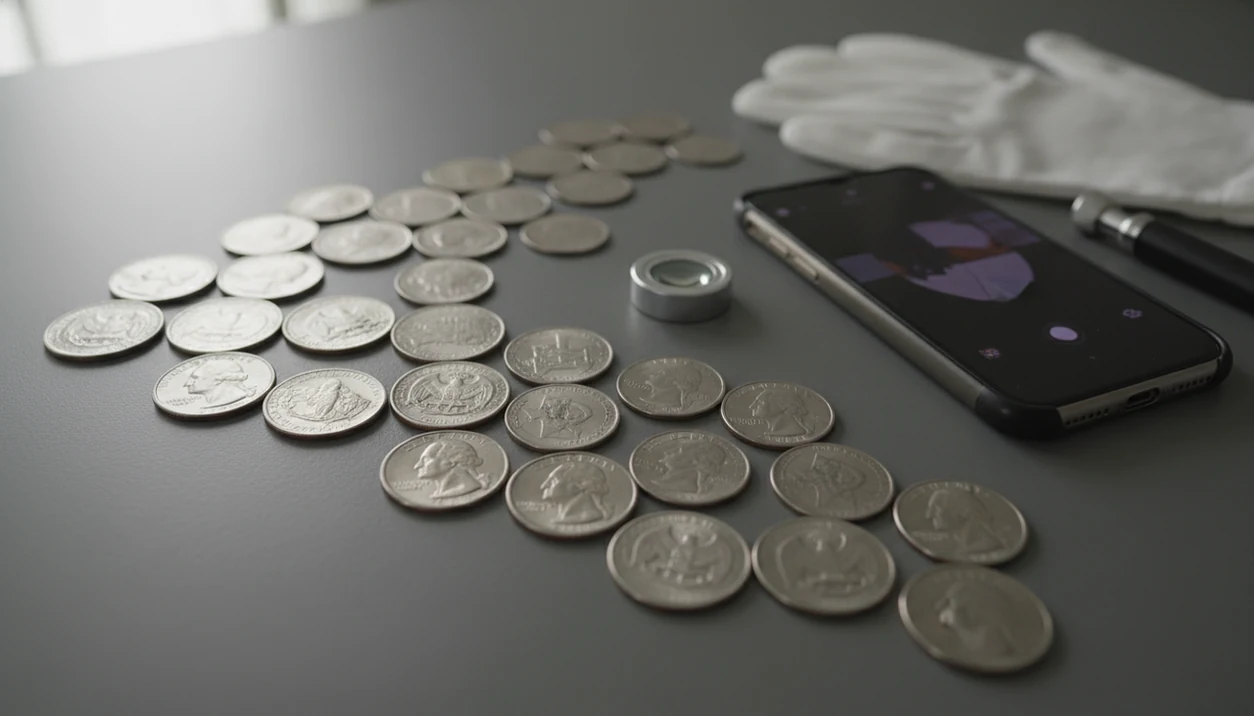


A quarter identifier app helps you identify U.S. quarters from photos, then check the date, mint mark, design program, silver status, and estimated collector value. It is most useful for sorting Washington quarters, State quarters, America the Beautiful quarters, American Women quarters, and possible errors before deciding whether a coin needs expert review.
For this workflow, use a quarter scanner that can identify coins from photos, show rarity and grade hints, and help estimate value without treating the result as a certified appraisal.
- Use clear photos of both sides of the quarter so the app can read the portrait, reverse design, date, and mint mark.
- Most circulated State and National Park quarters are common, but the app can help flag silver years, scarce mint marks, proof-like coins, and possible errors.
- Treat app values as estimates, not guaranteed sale prices, because grade, demand, damage, and error confirmation affect real market value.
Quarter Identifier App At A Glance For U.S. Quarter Types
A quarter identifier app is a photo-first tool for matching U.S. quarters to their likely series, design, date, mint mark, and value context. Identification tells you what the coin is; an estimated value range tells you what similar coins may bring in a given condition.
The main U.S. quarter groups include Washington quarters, 50 State Quarters, D.C. and U.S. Territories quarters, America the Beautiful quarters, and American Women quarters. A good ai coin identification, rarity lookup, and collection value estimation app for collectors and beginners gives structured clues and comparison points, not a guaranteed appraisal or certified grade.
A collection feature can also keep identified quarters organized digitally, which helps when duplicates start piling up in paper flips.
Photo Scan Technology Behind A Quarter Identifier App
A quarter identifier app works by comparing coin photos against known quarter images, then matching visual features from the obverse and reverse to likely U.S. Mint designs.
The image system looks for feature patterns, sometimes called image embeddings. In plain terms, it turns the portrait, lettering, date area, mint mark, and reverse design into comparison signals. A Washington portrait with an eagle reverse points one way. A state outline, park scene, or named American woman points another.
Both sides matter. A worn obverse may still show “LIBERTY,” but the reverse often confirms whether the coin belongs to the State, Territories, National Park, or American Women programs. Value context then comes from mintage records, rarity signals, grade hints, and market references.
Dark wooden tables can make copper-toned lighting look strange on clad coins. Use a neutral surface.
5 U.S. Mint Quarter Program Facts For Identification Apps
- Washington quarters began in 1932 and remain the core U.S. quarter series, though reverse designs have changed over time.
- The 50 State Quarters program ran from 1999 through 2008, and the U.S. Mint says more than 34.3 billion were produced, according to the U.S. Mint source.
- D.C. and U.S. Territories quarters followed in 2009, extending the design program beyond the 50 states.
- America the Beautiful released 56 designs from 2010 through 2021, honoring national parks and sites across states and territories, per the U.S. Mint source.
- American Women Quarters began in 2022 and may include up to 20 designs through 2025, which keeps modern quarter identification active for new collectors.
For Washington quarters, the date and mint mark usually come before the value guess.
Washington Quarter Photo Prep For Dates And Mint Marks
Prepare the coin before scanning, but don’t clean or polish it. Harsh cleaning can leave hairlines, dull the surface, and reduce collector value even when the date is useful.
Set the quarter on a flat, plain background under even light. Photograph the obverse and reverse. Start with the obverse, because the date area and visible mint mark area often drive the first match. Then turn it over and capture the reverse design without glare.
A beginner often rotates a worn Washington quarter under bright window light just to see whether the tiny mint mark is there. That’s normal. Separate obvious damage from possible mint errors, especially bent rims, deep scratches, and post-mint cuts. If you sort all U.S. denominations together, a broader US coin identifier workflow can help keep the first pass consistent.
5 Steps To Use A Quarter Identifier App For Photo Results
Use a quarter identifier app by photographing both sides, checking the matched program, reviewing the date and mint mark, then saving notes for later comparison.
1. Set The Quarter Under Even Light
- Set the quarter on a plain surface under soft, even light, with no glare across the date.
2. Scan Both Sides Of The Quarter
- Scan or photograph the front and back so the app can compare the portrait and reverse design.
3. Review The Date And Mint Mark
- Review the matched quarter series, date, mint mark, and design program before trusting the value screen.
4. Check The Quarter Value App Estimate
- Check rarity notes, grade hints, and the quarter value app estimate as a range, not a sale promise.
5. Save The Coin To Your Collection
- Save the coin to your collection and add notes for duplicates, scratches, toning, or possible errors.
Index-card notes still work, but app notes are easier to search.
Troubleshooting Bad Quarter App Results
Bad quarter app results usually come from poor lighting, missing coin details, or a mismatch between the obverse and reverse photos. Before you save a value or rarity note, slow down and check the evidence the way you would with a coin in hand.
- Retake the photo when glare, shadow, or blur crosses the date, mint mark, “LIBERTY,” “IN GOD WE TRUST,” or reverse lettering. A tiny washed-out area can change the match.
- Flip the quarter and scan the other side again if the reverse design looks wrong for the year or program. State, National Park, and American Women designs need the back of the coin to be clear.
- Compare worn dates yourself before trusting a silver-year result. A weak 1965 can look close to 1964 in a quick image match, and that changes the silver question.
- Separate damage from a mint error before adding a rarity note. Scratches, dents, rim hits, stains, and post-mint cuts are not the same as striking or die problems.
- Use magnification or ask for expert review when doubled dies, small varieties, or valuable error claims are involved. Phone scans are useful triage, not final attribution.
Quarter Value App Signals For Silver, Rarity, And Errors
“Is this silver or just old?” is the right first question for many Washington quarters. Pre-1965 U.S. quarters source are the main silver-era circulation finds, so the date is the quickest triage point before you look at mint mark, grade, and wear.
Most modern State and National Park quarters are common in circulated condition. A silver edge flashing in a roll is worth pausing over; a 2001 State quarter with pocket wear usually is not.
A quarter value app may flag off-center strikes, doubled dies, missing clad layers, unusual die marks, or scarce mint marks. However, app values are ranges influenced by grade, demand, damage, and confirmed variety attribution. Potentially high-value coins should be checked by a reputable dealer or a professional grading service. For suspected striking problems, compare the result with an error coin identifier guide before assuming rarity.
5 Common Myths About Quarter Identifier App Results
Myth 1: Every old Washington quarter is rare. Many older quarters are common circulation finds unless the date, mint mark, condition, or silver content changes the picture.
Myth 2: Every State quarter has a collector premium. The 50 State series was produced in huge numbers, so most circulated examples stay modest.
Myth 3: An app can guarantee the exact sale price. It can estimate value context, but auctions, dealers, and local demand move prices.
Myth 4: AI can confirm every subtle error. Small doubled dies and minor varieties often need magnification and expert attribution.
Myth 5: One-sided photos are enough. The reverse design can be the key evidence, especially for State, National Park, and American Women quarters. For design-only sorting, a state quarter identifier can narrow the reverse match.
U.S. Mint Program Verification For Quarter App Matches
Verify a quarter app match by comparing the year and reverse design against the official U.S. Mint program timeline. This catches impossible attributions, such as a National Park design assigned to a pre-2010 quarter.
| Quarter program | Years to check | What to verify |
|---|---|---|
| Washington quarter | 1932 onward | Date, mint mark, silver-era status, reverse type |
| 50 State Quarters | 1999-2008 | State name and correct release era |
| D.C. and Territories | 2009 | District or territory design |
| America the Beautiful | 2010-2021 | Park or national site design |
| American Women | 2022-2025 | Honoree name and modern reverse |
The U.S. Mint reported circulating coin production of 14.8 billion coins in fiscal year 2020, a COVID-era surge that renewed pocket-change searching, according to the Federal Reserve source. Mintage context explains why many attractive quarters remain common.
Limitations
A quarter identifier app is a starting point, not a formal appraisal. The photo result can be useful, but the physical coin still matters.
- Blurry, dark, angled, cropped, or glare-heavy photos can produce wrong matches.
- Apps may misread worn dates, weak mint marks, or damaged surfaces.
- Subtle doubled dies and small varieties often require magnification and expert confirmation.
- Value estimates can lag behind auctions, dealer prices, and local demand.
- Cleaning, scratches, environmental damage, or altered surfaces can reduce value even when the type is scarce.
- Some apps may require subscriptions or in-app purchases for full value data or collection tools.
- Professional grading is still appropriate for coins that may be high value.
If a small label says “possible error coin,” treat that as a research note, not a conclusion.
FAQ
What app identifies quarters from photos?
A coin identifier app can scan quarter photos and return the likely type, date, mint mark, design program, and value context. Camera-based coin apps such as CoinSnap, PCGS CoinFacts, NGC Coin Explorer, and CoinEd work best when both sides are photographed clearly.
Can an app identify State quarters?
Yes, a quarter app can identify 50 State Quarter designs when the reverse photo is clear. Worn lettering, glare, or cropped images can reduce confidence.
Are quarter value apps accurate?
Quarter value apps provide estimates, not guaranteed sale prices. Grade, demand, damage, silver content, and confirmed errors affect real value.
Can apps find silver quarters?
Apps can help flag older Washington quarters and date ranges associated with silver content. For U.S. quarters, pre-1965 dates deserve closer checking.
Do quarter apps detect mint errors?
Apps may flag obvious error candidates such as off-center strikes or missing clad layers. Subtle doubled dies and varieties need magnification or expert review.
Is there a free quarter identifier app?
Some apps offer free scanning for basic identification. Advanced value data, collection tools, or higher scan limits may require paid features.
Can iPhone scan quarters?
Yes, iPhone users can scan quarters with a compatible coin identification app and good lighting. Any camera-based coin scanner works better when the full obverse and reverse are in focus.
Can Android scan quarters?
Yes, Android users can identify quarters with a camera-based coin app. Photograph both sides clearly before relying on the date, mint mark, or value estimate.