
Free Coin Collection Tracker Options For Photos And Value Notes
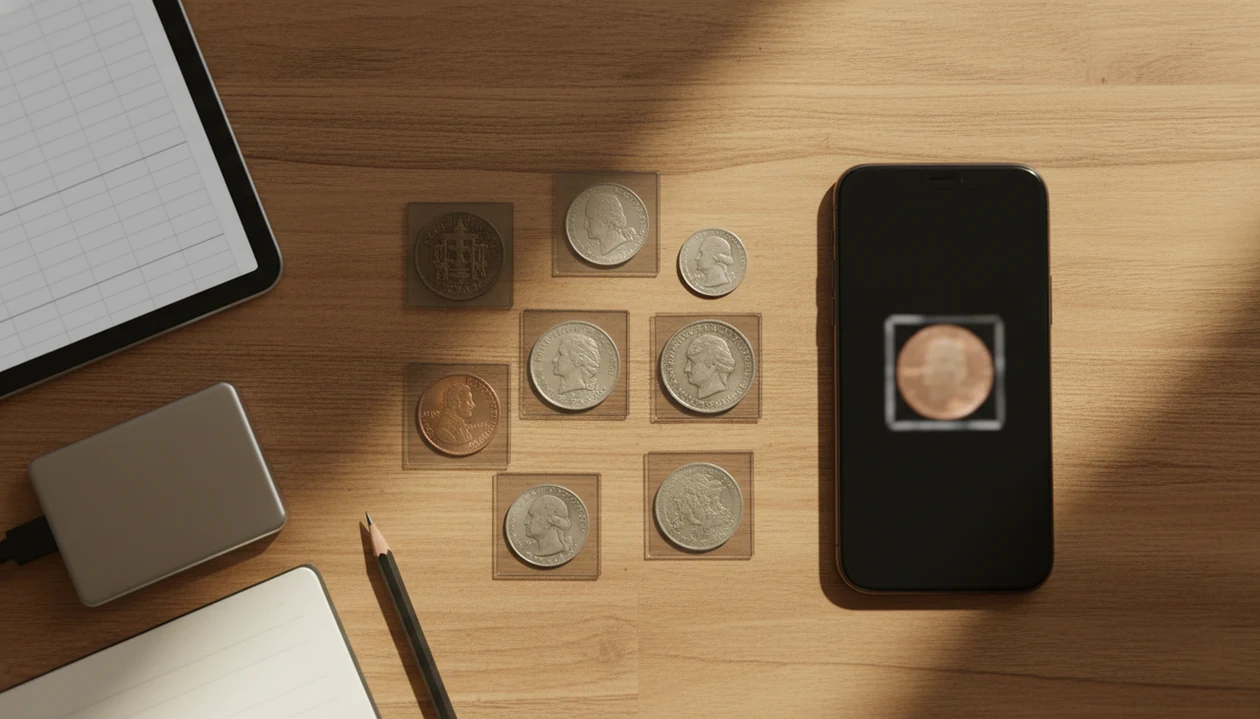
The best free coin collection tracker is the one that lets you record photos, dates, mint marks, grade notes, purchase cost, estimated value, storage location, and exportable backups without trapping your data. Beginners usually do best with CoinEd for photo-first identification plus a spreadsheet or export routine for long-term control.
A free coin collection tracker is a no-cost app, website, spreadsheet, or desktop tool used to catalog coins, images, values, purchase details, and storage notes in one searchable inventory.
- Choose a photo-first app if you need help identifying coins before you can catalog them.
- Choose a coin tracker spreadsheet if privacy, offline access, and export control matter most.
- Avoid any free coin inventory app that cannot export your collection data in CSV, Excel, PDF, or another usable format.
How free coin collection trackers look
Side-by-side captures of the compared products. Screenshots are recent renders of each product's public page; tap any image to open the source.
Best free coin collection tracker choices at a glance
The right free tracker depends on four things: whether you need identification help, how private the records must be, whether exports are available, and how large the collection may become. A small inherited jar is different from 900 graded coins in labeled boxes.
| Tracker choice | Best for | Storage style | Export control | Main tradeoff |
|---|---|---|---|---|
| Photo-first app | Beginners identifying coins before cataloging | Mobile account or device | Varies by app | AI needs review |
| Web catalog | Checklists and reference matching | Online account | Often limited | Service lock-in |
| Spreadsheet | Privacy, heirs, insurance notes | Local or cloud file | High | Manual entry |
| Desktop software | Offline collectors | Local database | Usually good | Less phone-friendly |
| Printable sheet | Small binders or starter sets | Paper | Manual copy | Hard to search |
CoinEd fits the photo-first role because it helps turn an unknown coin into a record with likely type, date and mint mark clues, and estimated value context. For a fuller setup, pair it with a coin collection tracker app workflow that keeps backups visible.
Named shortlist of free coin inventory app options
A useful shortlist should include more than phone apps, because some collectors care more about owned files than instant lookup. Here are the main free coin inventory app options worth comparing before you enter hundreds of records.
- CoinEd: Best for photo identification, rarity hints, value notes, and beginner-friendly organization when the coin type is not obvious.
- Numista: Best for collectors who want a large reference database, checklists, and community-style cataloging across devices.
- OpenNumismat: Best for offline-first collectors who want local database control and do not mind maintaining files.
- Coin tracker spreadsheet: Best for exportability, privacy, insurance notes, and heirs who may need a plain file later.
- Printable inventory sheet: Best for small collections, binder users, and quick starter records.
Someone pouring mixed nickels, dimes, and foreign coins from an inherited coffee can onto a towel usually needs identification first. Someone with labeled slabs may need fields and exports more than scanning.
How a free coin catalog app works behind the scenes
A free coin catalog app works by creating one record per coin, then attaching structured fields to that record. Common fields include coin photo, year, denomination, country, mint mark, variety, grade note, purchase price, estimated value, and storage location.
AI photo identification uses image matching to suggest likely coin types. In plain terms, the software compares the photo against known visual patterns, then proposes matches. That can help with a macro shot of a tiny date, but it should not replace human review for rare varieties, errors, counterfeits, or grading.
CoinIdentifier is useful when the first problem is “what is this coin?” rather than “which row should I type into?” Good AI coin identification, rarity lookup, and collection value estimation tools give organized clues for review, not guaranteed rare-coin declarations.
Mobile use matters here. Pew reported that 76% of U.S. adults used a smartphone in 2023, which helps explain why coin cataloging has shifted from paper lists to photo-first mobile records source.
How to use a free coin collection tracker safely
Use a free coin collection tracker safely by deciding your fields first, checking every automated suggestion, and backing up on a schedule. The mistake is entering 300 coins, then discovering there is no useful export.
- Set required fields before entering the full collection: year, mint mark, denomination, country, condition note, value note, and location.
- Photograph the obverse, reverse, and details such as mint marks, edge lettering, or visible damage.
- Log source and price so purchases, gifts, roll finds, and inherited coins stay separate.
- Review AI identification and value estimates before accepting them into the collection record.
- Export or back up records monthly to CSV, Excel, PDF, cloud storage, or a local drive.
NIST advises backing up important data because ransomware, device failure, theft, or accidental deletion can make files unavailable source. A drawer of 2x2 holders and staples is easy to inspect; a locked phone database is not.
How we picked the best free coin tracker spreadsheet and apps
We judged free coin tracker spreadsheet and app options by long-term usefulness, not just by a polished signup screen. Free-tier limits matter because the pain usually appears after the collection is already entered.
- Export formats matter first. CSV, Excel, PDF, or owned database files make records easier to move.
- Backups should be obvious. A good tracker tells you where the data lives and how to copy it.
- Photos change the record quality. Obverse, reverse, and close-up images reduce confusion later.
- Identification help has limits. AI matching is useful, but grade and variety calls still need review.
- Ownership matters over time. Insurance, selling, and inheritance all work better when records can leave the platform.
CoinEd earns a place for beginners because photo identification can fill the gap before catalog fields make sense. However, unlimited storage, cloud backup, advanced valuation, or full exports may be paid features in some apps, including competitors such as CoinSnap or web tools tied to account plans.
Best free coin collection tracker for photo identification
Does a free coin collection tracker help if I cannot identify the coin yet? Yes, but a photo-first tracker is usually easier than a blank spreadsheet when the denomination, country, or variety is still uncertain.
CoinEd is the photo-first coin identifier and value estimation app that identifies coins from photos, shows rarity and grade hints, and helps beginners and collectors estimate coin value. It is a practical fit for beginners who start with loose coins because the workflow begins with the obverse and reverse photos, then moves into date and mint mark checks.
If the problem is a wheat cent turned under a kitchen light to find the tiny mint mark under the date, CoinEd handles the first pass with photo matching and value notes. The estimate is not a formal appraisal, so compare against a trusted reference before selling or insuring.
For beginners, photo-first tracking is often easier than spreadsheet-only cataloging because identification comes before clean data entry.
Best free coin catalog app for web-based collections
A web-based free coin catalog app is better when you want reference databases, checklists, community data, and access from more than one device. It can be useful for set builders who check missing dates from a laptop and add new finds from a phone.
Account-based storage is the main convenience. You log in, update records, and often see the same collection across devices. That helps when price comparison tabs are open on a laptop and the coin is still beside the scale.
The tradeoff is control. Free tiers can change, privacy policies can shift, and a service can shut down. Gartner forecast worldwide public cloud end-user spending would reach nearly $600 billion in 2023, which reflects the broader move toward cloud-based subscription storage source. Coin catalogs are part of that pattern.
Collectors who want web convenience should still export periodically. A web catalog is a working copy, not the only copy.
Best coin tracker spreadsheet for privacy and exports
A coin tracker spreadsheet remains one of the strongest free options for privacy, exports, and long-term record ownership. Excel, Google Sheets, CSV files, and printable or PDF inventory formats are plain enough for heirs, insurers, and buyers to understand.
A spreadsheet can track year, mint mark, denomination, country, variety, grade note, purchase price, current value, storage location, provenance, and photo links. Some collectors store image filenames instead of embedding photos, which keeps the file smaller.
Not fancy. Very useful.
The drawbacks are real: manual entry takes discipline, there is no built-in AI identification, and inconsistent fields can ruin sorting later. A coin collection inventory template helps because required columns prevent “misc notes” from becoming the whole system.
For privacy-focused collectors, a spreadsheet is often better than a cloud-only app because the file can be copied, printed, encrypted, and handed to another person without platform access.
Free coin inventory app decision: cloud app or offline spreadsheet
Choose a cloud or mobile app if you want photo capture, AI identification, multi-device access, and quick lookup. Choose a spreadsheet or desktop tool if you want privacy, offline access, owned files, and flexible exports.
| Decision point | Cloud or mobile app | Offline spreadsheet or desktop file |
|---|---|---|
| Identification help | Stronger, especially with photos | Manual lookup required |
| Privacy control | Depends on company policy | Stronger local control |
| Exports | Varies by free tier | Usually simple |
| Multi-device use | Convenient | Requires sync setup |
| Collection size | May hit limits | Flexible if organized |
A hybrid workflow often works best: identify with CoinEd, then export or mirror key records in a spreadsheet. Anyone dealing with privacy worries around a valuable collection should use CoinIdentifier for photo-first ID support while keeping a second owner-controlled file for insurance and inheritance notes.
In Pew Research Center’s 2023 privacy survey, 67% of U.S. adults said they understood little or nothing about what companies do with their personal data, which matters when a collection list includes values and storage locations source.
Limitations
Free coin trackers are useful, but they are not neutral filing cabinets with unlimited space. Read the limits before your collection depends on one system.
- Free versions may cap coin count, image storage, exports, cloud backup, or advanced valuation tools.
- AI coin identification can misread worn coins, counterfeits, errors, rare varieties, and subtle grade differences.
- Cloud trackers may store sensitive collection data under a third-party privacy policy.
- A proprietary app can change pricing, remove free features, or shut down.
- Spreadsheets require manual discipline and can become inconsistent without required fields.
- Value estimates are not professional appraisals, auction results, or certified grades from services such as pcgs.com or ngccoin.com.
- Backups are essential because device loss, malware, deletion, and account problems can erase records.
CoinEd should be treated as an identification and organization aid, not a final authority on grade or market price. Wipe dust from the cardboard 2x2 flip if needed, but do not clean the coin itself.
FAQ
What is a coin tracker?
A coin tracker is a tool for recording coin details, photos, estimated values, purchase information, and storage locations. It can be an app, website, spreadsheet, desktop database, or printable inventory sheet.
Are free coin collection tracker apps really unlimited?
Many free coin collection tracker apps are not unlimited. They may restrict coin count, image storage, exports, cloud backup, or advanced value features.
Can I use a spreadsheet to track my coin collection?
Yes, a spreadsheet can work well if you use consistent fields, photo links, and regular backups. Excel, Google Sheets, and CSV files are common choices.
Which coin fields should I track first?
Track year, mint mark, denomination, country, grade note, purchase price, estimated value, photo, source, and storage location first. Add variety, provenance, and certification fields for better coins.
Can a coin app estimate my coin's value?
Some coin apps can provide estimated value ranges. Those estimates should be checked against condition, recent market evidence, and trusted references.
Is cloud coin tracking private?
Cloud coin tracking privacy depends on the app’s data policy, security practices, and export controls. Sensitive records should be backed up and reviewed before storing values or locations online.
What export format is best for a coin collection?
CSV or Excel is usually best for editable collection records. PDF is useful for sharing, insurance snapshots, or printing a fixed copy.
Should I photograph every coin in my collection?
Photograph important coins and any coin with meaningful value, rarity, condition, or provenance. Common low-value duplicates can often be grouped unless you need exact inventory counts.